
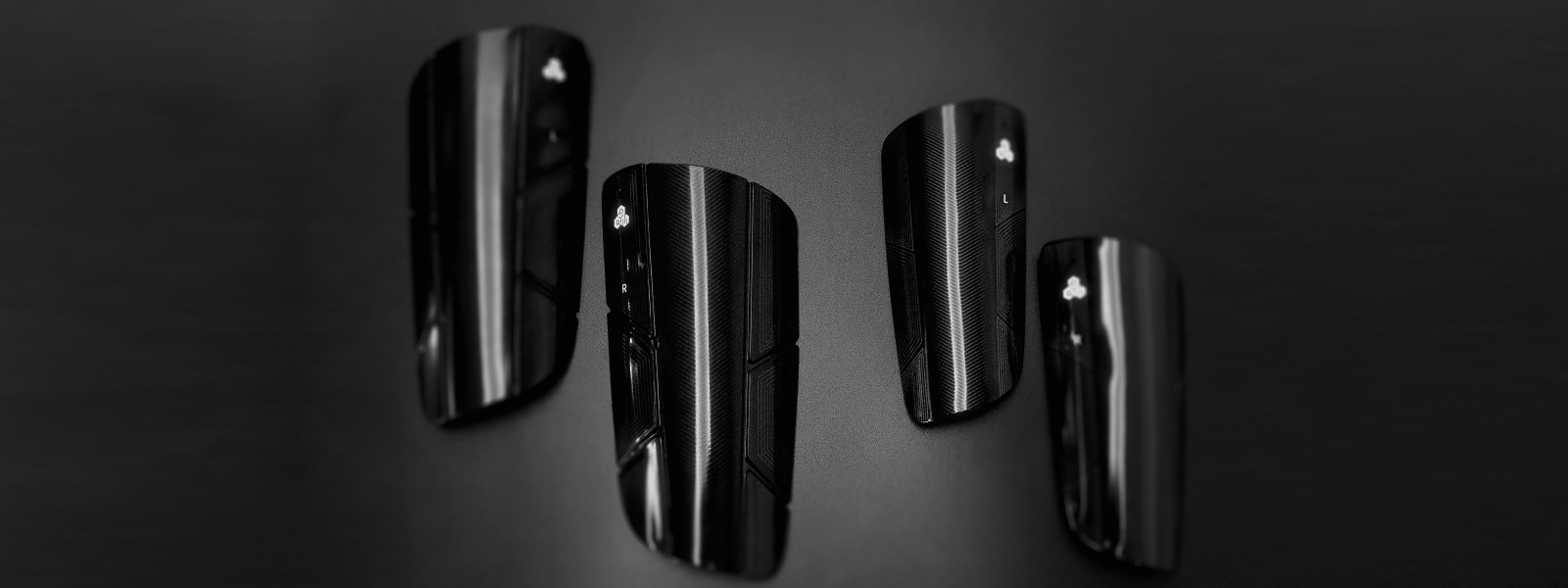
Smart Shin Guards Support & FAQs
Find out how to get started with your Smart Shin Guards and the app. Have a question? Discover expert advice and find out how to get in touch with Customer Support.
ON THIS PAGE
Use the corresponding "Jump-to-Section" buttons below to locate the support content topic you need.
GENERAL QUESTIONS
ORDERS AND DELIVERY
GETTING STARTED
TROUBLESHOOTING
MAINTENANCE TIPS
GENERAL QUESTIONS
Get to know more about Smart Shin Guards
Smart Shin Guards have been specifically engineered and optimized for Soccer(soccer) players at every level of the game, from aspiring youth players to seasoned athletes.
The advanced player trackers, algorithms, and analytical insights provided by are deeply integrated with the unique demands, movements, and technical skills inherent to Soccer. This includes specialized tracking of Soccer-specific movements, such as accelerations, sprints, and distances that are crucial for understanding performance on a Soccer pitch, and weak foot usage analysis to help players develop bilateral proficiency, a vital advantage in modern Soccer.
While the shin guards track general physical activity, the comprehensive performance analysis, gamified experience, and player development pathways within the app are exclusively tailored to the sport of Soccer. For the most accurate data, relevant insights, and optimal user experience, we recommend using your Smart Shin Guards exclusively for Soccer activities.
When you unbox your new Smart Shin Guards, you'll find all the essential components to begin your data-driven Soccer training journey. Each package includes:
- 1 x Pair of Smart Shin Guards: These contain the integrated, high-precision Soccer player trackers.
- 1 x USB Charging Cable: For connecting your player trackers to a power source.
- 1 x Quick Guide: Essential instructions for initial setup and customer support.
Please Note:
- The App is a free download available separately on the Apple App Store (for iOS devices) and Google Play Store (for Android devices). The app is required to access your performance data and manage settings.
- A USB power adapter (wall plug) is typically not included in the box and must be provided by the user.
Good news – there are no subscription fees to use the app!
We believe that accessing your performance data and enhancing your Soccer journey should be seamless and straightforward. Simply download the app, connect your Smart Shin Guards, and unlock all features and insights at no additional cost.
Smart Shin Guards use embedded soccer player trackers to measure 16 key parameters that reflects your performance in Speed, Acceleration, Stamina, Power and Foot Balance, including:
- Total Distance, Distance Per Minute, High-speed Distance, Sprint Distance, Average Sprint Distance, Calorie;
- Top Speed, Total Sprints, Total High-speed Runs;
- Top Acceleration, Max Jump, Total Jumps, Total Sharp Turns;
- Use of Left Foot, Use of Right Foot;
- Max Kicking Power.
To learn more about data definition and value of Smart Shin Guards metrics, please refer to this blog article.
At MotionIQ, the durability and protection of your Smart Shin Guards are paramount. We've engineered them to withstand the rigorous demands of Soccer, ensuring they protect you session after session.
Here's how we ensure their lasting performance:
Certified Protection
The shin guards are CE-certified with the stringent EN13061:2009 standards. This means they've undergone rigorous independent testing to guarantee
- Superior Impact Absorption: Effectively dispersing force from blunt and stud impacts.
- Excellent Penetration Resistance: Protecting your shins from sharp forces.
- Optimal Coverage: Ensuring the guards provide adequate protection to your shin bone.
- Comfort & Fit: Designed to feel comfortable during extended use on the pitch.
Premium Construction
We use a combination of high-quality materials for maximum durability and player comfort
- Hard-Shield Front Plates: These robust outer shells are designed to absorb and distribute the force of impacts, providing a strong first line of defense.
- Advanced EVA Foam Backing: The soft, resilient EVA (Ethylene-Vinyl Acetate) foam on the inside provides exceptional shock absorption, cushioning your leg from impacts while offering superior comfort and flexibility. This material is known for its ability to bounce back and maintain its protective properties over time.
Trusted Manufacturing
Our shin guards are manufactured by industry-leading suppliers who also produce protective gear for major global sports brands like Nike, Adidas, and others. This ensures the highest standards of quality control and material integrity in every pair.
With Smart Shin Guards, you can play with confidence, knowing you have reliable, long-lasting protection that meets professional safety standards.
Absolutely! The protection of the advanced tracking technology within your Smart Shin Guards is a core design priority. We've taken multiple measures to ensure the trackers are secure and durable, allowing you to focus purely on your game.
Here's how we ensure their safety and longevity:
Integrated & Seamless Design
- The player trackers are not an add-on; they are seamlessly and securely integrated into the design of the shin guards. This ensures they are precisely positioned for optimal data capture while being completely protected from external elements and impacts.
- This integration also means you won't feel any foreign objects, maintaining the natural feel and comfort of traditional shin guards.
Robust Shin Guard Protection (Certified EN13061)
- The shin guards themselves are engineered for maximum protection. They are CE-certified with the rigorous EN13061:2009 standards, which specifically evaluate their protective capabilities.
- This certification confirms their superior impact absorption and penetration resistance, meaning the hard outer shell and cushioned EVA backing are designed to effectively disperse force from tackles, falls, and other impacts. This protective shell acts as a robust shield for the internal trackers, safeguarding them from direct blows.
Electronic Component Safety & Compliance (CE, FCC, IC Certified)
Beyond physical protection, the soccer player trackers meet stringent international electronic safety standards. They are CE, FCC, and IC certified, ensuring:
- Compliance with Canda health, safety, and environmental protection standards.
- Compliance with U.S. regulations for electronic devices, preventing interference with other electronic equipment.
- Compliance with Canadian standards for radio apparatus.
These certifications confirm that the trackers are safe for normal use, reliable, and free from harmful electromagnetic interference, both for the player and other devices on the pitch.
With Smart Shin Guards, you get highly accurate performance tracking with the peace of mind that the technology is robustly protected, allowing you to unleash your full potential on the field.
Smart Shin Guards are powered by sophisticated technology designed to precisely capture your on-field performance. It's a combination of advanced sensors and intelligent algorithms working in harmony.
High-Precision Sensor Data
The integrated Soccer player trackers continuously collect a rich stream of data from your movements. These high-precision sensors capture every subtle acceleration, rotation, and impact as you play.
Advanced Machine Learning Algorithms
The raw sensor data is then fed into our proprietary machine learning algorithms. These aren't just simple rules; they are highly advanced programs that have been extensively developed and trained using countless hours of real-world Soccer play. They are designed to:
- Recognize Complex Patterns: Our algorithms excel at identifying unique motion patterns associated with specific in-game actions. For example, a jump has a distinct acceleration profile compared to a sprint, and a kick generates a unique force signature.
- Distinguish Key Actions: This allows the player trackers to accurately categorize actions such as jumps, runs, kicks, turns and more, providing a comprehensive overview of your activity.
Noise Filtering & Exclusion
Crucially, our algorithms are also trained to intelligently filter out irrelevant data that could skew your performance metrics. Accidental kicks on the shin guards themselves or tackles that don't represent a player's intentional action are identified and excluded from your performance measurements. This ensures your data remains clean, accurate, and truly reflective of your actions, not incidental contact.
By combining precise sensor technology with smart, continuously learning algorithms, Smart Shin Guards provide you with reliable, action-specific data, letting you focus on perfecting your game.
The Left and Right player trackers in your smart shin guards are paired with each other before the product is shipped to you. They are being programmed as “left” and “right”.
To ensure the highest level of accuracy for foot usage detection and all other performance metrics, it is absolutely crucial to always wear the tracker designated for the Left leg on your left leg, and the Right tracker on your right leg. Each shin guard and tracker is clearly marked to guide you, as incorrect placement will lead to inaccurate data attribution and skewed insights.
Updated on 13 June 2025
No, Smart Shin Guards are designed for ultimate simplicity and freedom on the pitch.
Unlike traditional soccer tracking systems on the market, our technology does not rely on GPS positioning or any other external devices. You won't need to wear bulky vests, belts, or set up any field equipment.
Here's what makes different:
- 100% Embedded & Integrated: The advanced Soccer player trackers are seamlessly and completely embedded within the smart shin guards themselves. This means there are no loose parts, no extra gear to manage, and nothing to distract you.
- Natural Feel, Zero Distraction: Our design ensures that you (and your opponents) feel nothing more than a normal, comfortable pair of shin guards. There's no sensation of foreign objects, allowing you to focus entirely on your game.
- Effortless Setup: Getting started is incredibly simple: just turn on the trackers, pop them into your Smart Shin Guards, and put them on as you normally would.
- Dual Functionality: You get robust protection from injuries and impacts while simultaneously capturing detailed performance data, all from one intuitive piece of gear.
Experience the next generation of Soccer tracking that prioritizes comfort, convenience, and unparalleled integration.
For a deeper dive into the advantages, see a detailed comparison between Smart Shin Guards
Updated on 20 June 2025
Absolutely yes! Smart Shin Guards are meticulously designed for comprehensive performance tracking in all forms of Soccer, including indoor sessions, futsal, and smaller-sided games, in addition to traditional outdoor matches and training.
Unlike conventional GPS Soccer trackers that rely on satellite signals, Smart Shin Guards utilize advanced embedded inertial measurement units (IMUs). These sophisticated sensors track your movement and other key physical metrics entirely independent of external signals. This means you receive reliable and precise data regardless of whether you're playing in indoor sports halls, futsal courts, or covered pitches where GPS signals are unavailable or unreliable.
Click on the links for a deeper dive into how our technology compares to traditional GPS tracking, and the unique value can offer for various Soccer formats, including futsal
Updated on 13 June 2025
While Smart Shin Guards are packed with advanced tracking capabilities, they do not directly measure heart rate.
Our innovative technology is specifically engineered to record and analyze performance metrics that are most impactful and relevant to your game on the soccer pitch. This includes data points like distance covered, acceleration, sprints, shot power, and agility, which offer a unique and direct insight into your athletic performance and tactical play during matches and training.
To understand the full range of valuable metrics captures, please refer to this detailed blog article
Updated on 20 June 2025
The soccer player trackers in your Smart Shin Guards are engineered to deliver high accuracy for metrics captured during typical soccer activities, such as regular matches and standard training sessions.
Our advanced algorithm and soccer player trackers, powered by numerous machine-learning processes, typically measures over 100 metrics per second. For its intended use in dynamic soccer environments, the overall accuracy can reach as much as 90% or even higher.
Important Note on Specific Drills:
While accurate for its intended design, Smart Shin Guards are optimized for continuous, dynamic movements characteristic of soccer. Therefore, specialized training drills that involve significant static periods, very short bursts of movement, or non-continuous actions (e.g., plyometrics circuits or highly static passing drills) may yield metrics that do not perfectly align with pure linear running distance. Our sensors interpret all movement for distance equivalence, meaning even subtle or static actions can contribute to recorded metrics.
We are committed to continuously improving our algorithm to deliver accurate and reliable information. These enhancements are regularly provided through software and firmware updates that can be easily applied to your Smart Shin Guards.
Updated on 20 June 2025
ORDERS AND DELIVERY
Frequently asked questions about your Smart Shin Guards orders
You have two convenient options to acquire your Smart Shin Guards and revolutionize your game:
Order Directly from the Official Store
For the most direct experience, you are welcome to purchase your Smart Shin Guards from our official online store: INSAITJOY.COM. By ordering directly, you ensure you're getting the authentic product straight from the source.
We understand that choosing the right shin guard size can be a personal preference, with many players opting for a more compact fit for increased agility. To help you select the ideal size for both protection and comfort, please refer to the guidelines and dimensions below.
Key Considerations When Choosing Your Size
1. Measure Your Shin: The most accurate way is to measure the length of your shin, from just below your kneecap down to just above your ankle bone. The shin guard should cover the majority of this area without interfering with your knee flexion or ankle movement.
2. Player Height & Age (General Guideline): While a precise measurement is best, you can use height as a general reference:
- Size S: Generally recommended for younger players (usually aged 6~10) or those with smaller shins, often under 140 cm (4'7") in height.
- Size M: Generally recommended for most teenager and adult players or those with average-sized shins, typically 140 cm (4'7") and taller.
3. Protection vs. Mobility:
- Larger Pads (Size M): Offer maximum protective coverage over a larger portion of your shin.
- Smaller Pads (Size S): Provide slightly more freedom of movement and a lighter feel, which some players prefer for agility, while still offering essential protection.
Smart Shin Guard Dimensions & Weight
- Size S: 14.3 cm (Length) × 5.7 cm (Width), weight 42 grams per shin pad (approximately)
- Size M: 17.8 cm (Length) × 7.9 cm (Width), weight 60 grams per shin pad (approximately)
We recommend measuring your shin to ensure the best possible fit and performance on the pitch.
Updated on 20 June 2025
Smart Shin Guards use embedded soccer player trackers to measure 16 key parameters that reflects your performance in Speed, Acceleration, Stamina, Power and Foot Balance, including:
- Total Distance, Distance Per Minute, High-speed Distance, Sprint Distance, Average Sprint Distance, Calorie;
- Top Speed, Total Sprints, Total High-speed Runs;
- Top Acceleration, Max Jump, Total Jumps, Total Sharp Turns;
- Use of Left Foot, Use of Right Foot;
- Max Kicking Power.
To learn more about data definition and value of Smart Shin Guards metrics, please refer to this blog article
Updated on 13 June 2025
GETTING STARTED
"How-to" guides for your Smart Shin Guards
Download the App
App can be downloaded from the Apple App store and Google Play store. The app is your central hub for connecting your Smart Shin Guards, viewing your performance data, and managing your settings. It's available for free download on both iOS and Android smartphones.
Device Compatibility
To ensure the best experience with the app, please check your smartphone's operating system compatibility:
- For iPhones (iOS devices): The app requires iOS 11.0 or later. We recommend updating to the latest available iOS version for optimal performance and compatibility.
- For Android Phones: The app requires Android 9.0 (Pie) or later. We recommend updating to the latest available Android version for optimal performance and compatibility.
Important Notes & Troubleshooting Tips
- Storage Space: Please ensure your phone has sufficient available storage space before attempting to download the app.
- App Permissions: After installation, the app may request necessary permissions (e.g., Bluetooth) to connect with your shin guards. Please grant these for full functionality.
- Trouble Finding the App? Double-check your search spelling. If you're still experiencing issues, verify that your device meets the minimum operating system requirements.
Keep Your App Up-to-date
We are continuously working to improve the app with new features and enhancements. We highly recommend keeping your app updated to the latest version to enjoy all the functionalities and benefits.
Updated on 20 June 2025
In-app User Manual
The most current version of your user manual is always available directly within the mobile application. This method ensures you have immediate access to the latest updates and information right on your smartphone.
To access the in-app user manual, please follow the below step-by-step navigation:
- Open the App on your smartphone.
- From the Home Screen (or main dashboard), tap on the 'Quick Guide' section.
- Within the 'Quick Guide,' select 'User Manual' to view the full document.
- Alternatively, the User Manual can also be accessed via Me > User Manual.
Download User Manual from Our Website
If you prefer to view the manual on a larger screen (like a desktop computer or tablet), you can also download or view the User Manual here.
User Manual Update Records
The User Manual was last updated in May 2025, ensuring it reflects the most current features, functionalities, and best practices for your Smart Shin Guards. We continuously update the in-app version to provide you with the most relevant and accurate information.
Updated on 20 June 2025
Power Connection
- Plug the USB charging cables (included with your Smart Shin Guards) into the designated ports on the trackers.
- Connect the other end of the USB-C cable to a compatible power source. This can be a USB power adapter (wall plug, 5V/1A output recommended) or a powered USB port on a computer or power bank.
Charging Status and Troubleshooting Tips
Observe the indicator lights on the trackers. These lights will show the charging status:
- Solid red lights indicate the trackers are actively charging.
- The lights will turn solid green once the trackers are fully charged.
- Fast red flicker indicates a charging issue. Please disconnect and reconnect the charger to retry.
Charging Time
The trackers will be fully charged in approximately 1.5 hours.
Important Notes
- Power Adapter: We recommend using a power adapter with a 5V/1A output for optimal and safe charging.
- Optimize Battery Life: To ensure your shin guards maintain optimal battery performance and readiness for every session, we recommend recharging them at least once a week, even if they haven't been fully depleted. This practice helps preserve battery health over the long term.
Updated on 20 June 2025
Turning on your Smart Shin Guards is quick and easy, designed to get you ready for your game in moments. Each tracker has a slightly different activation method:
For the LEFT Shin Guard Tracker
- Press and hold the power button on the tracker for approximately 3 seconds.
- Release the button when you see a purple light begin to flicker. This indicates the left tracker is now powered on.
For the RIGHT Shin Guard Tracker
- The right tracker activates with movement. Gently shake the tracker back and forth a few times.
- Look for a purple light to flicker. This confirms the right tracker is also powered on and active.
Important Notes
- Ensure both trackers are showing the flashing purple light before proceeding.
- If a tracker does not turn on, ensure it is fully charged.
Updated on 20 June 2025
Turning off your Smart Shin Guards is straightforward, with convenient methods for each tracker.
For the LEFT Shin Guard Tracker
You have two ways to power off the left tracker:
Option 1: Manual Power Off
- Press and hold the power button on the tracker for approximately 3 seconds.
- Release the button once the light indicator turns off, confirming the tracker is powered down.
Option 2: App-Guided Power Off
- You can also turn off the left tracker by following the on-screen instructions within the app after you have completed your data synchronization.
For the RIGHT Shin Guard Tracker
The right tracker is designed for hands-free convenience:
Option 1: Automatic Power Off
- The right tracker will automatically power off if it remains still (idle) for 10 minutes. This saves battery life and ensures it's off when not in use.
- Adjusting Automatic Shutoff: You have the flexibility to customize the idle time before automatic shutdown for the right tracker. This setting can be adjusted within the app to either 2 minutes or 5 minutes, based on your preference.
Option 2: App-Guided Power Off
- For immediate shutdown or after a session, you can also turn it off by following the on-screen instructions within the app after you have completed your data synchronization.
Updated on 20 June 2025
Properly inserting your trackers ensures both optimal performance tracking and full protection. Follow these steps for a secure fit:
For the LEFT Shin Guard Tracker
- Identify the Left Tracker: It should be clearly marked "L".
- Locate the Shin Guard Pocket: On the top of the left Smart Shin Guard, you'll find a dedicated pocket designed for the tracker.
- Align the Tracker: Carefully orient the Left tracker so that its alignment strip matches the corresponding slot within the shin guard's pocket.
- Ensure Light Visibility: As you insert the tracker, make sure its indicator light is positioned to be clearly visible through the designated small hole on the outer shell of the shin guard. This confirms correct orientation for status checks.
- Gently Push to Secure: Push the tracker firmly but gently into the pocket until it is fully seated and feels secure, with no wobbling.
For the RIGHT Shin Guard Tracker:
- Identify the Right Tracker: Similarly, locate the tracker marked "R".
- Follow the Same Steps: Insert the Right tracker into the right Smart Shin Guard's pocket.
- Crucial Alignment: Just like the left, ensure the tracker's alignment strip matches the slot in the shin guard. The indicator light must be visible through the hole on the shin guard's shell for proper functionality and status checks.
- Secure Fit: Gently press the tracker into place until it's snug and fully inserted.
Important Tip
A proper alignment is crucial not only for keeping the tracker secure but also for ensuring the indicator lights are visible, allowing you to easily check power and connection status.
Updated on 20 June 2025
Capturing your on-field performance with is designed to be seamless, allowing you to focus purely on your game. Here's how to get started and ensure accurate data collection:
1. Setup Before Your Session:
- Power On & Insert Trackers: Begin by turning on both soccer player trackers and securely inserting them into their respective smart shin guards.
- Ready Mode Confirmation: Once powered on, the tracker's blue light will flash twice (flicker). This confirms the trackers are in standby mode and are ready for activity measurement.
2. On-Field Usage & Automatic Data Collection:
- Wear Your Shin Guards: Put on your Smart Shin Guards as you normally would for training or a match.
- Automatic Measurement Start: The trackers will automatically begin recording your performance data after detecting your first 30-40 steps of active movement. There's no need to manually start recording within the app at this point.
- Active Collection Indicator: Once data collection begins, the blue light will start to flash slowly. This visual cue confirms that your shin guards are actively measuring and recording your performance.
Important Notes for Optimal Tracking:
- Activation Walk/Jog: For best results and to ensure immediate data capture, we recommend turning on your smart shin guards before your session officially begins, and then walking or jogging briefly as part of your warm-up. This helps trigger the automatic measurement.
- Avoid Concurrent App Connection: Do not keep the smart shin guards connected to your mobile phone (via Bluetooth) during active data measurement on the field. This can interfere with data collection. Connect only when you are ready to synchronize your data.
- Data Synchronization for Long Sessions: The soccer player trackers have a robust internal storage capacity. However, for extended sessions (e.g., measurement time exceeding 2 hours), there is a potential risk of data loss or occasional errors if the storage limit is reached. To prevent this, we strongly recommend synchronizing your data with the app at least every 2 hours during prolonged training sessions or match days. This ensures all your valuable performance data is securely saved.
Updated on 20 June 2025
We strongly recommend synchronizing your data at the earliest available opportunity after each session using the app.
While your smart shin guards have internal storage, prompt synchronization offers several benefits:
- Data Integrity & Safety: Uploading your data immediately ensures that all your valuable performance metrics are securely transferred from the trackers to your app and cloud, minimizing any risk of loss (e.g., if storage limits are approached in very long sessions).
- Ready for Your Next Session: Syncing promptly clears the tracker's internal memory, ensuring it's ready to capture fresh data for your next training session or match without any capacity concerns.
- Immediate Insights: Get instant access to your performance analysis and insights in the app, helping you review your play while it's fresh in your mind.
For very long sessions (exceeding 2 hours), we specifically recommend syncing at least every 2 hours to prevent potential data loss, as the trackers have a limited storage capacity.
Updated on 20 June 2025
The LED light on your Smart Shin Guards provides quick visual cues about the tracker's status, from battery levels to data collection. Here's a comprehensive guide:
Slow Red Flash (Flicker)
- Meaning: Low battery.
- Action: It's time to recharge your soccer player trackers.
Fast Red Flash (Flicker)
- Meaning: Charging issue detected.
- Action: Please disconnect the charger and then reconnect it to retry the charging process. If the issue persists, ensure the charging cable and port are clean and undamaged.
Solid Red Light
- Meaning: The soccer player trackers are currently recharging.
Solid Green Light
- Meaning: The soccer player trackers are fully charged and ready for use.
Flashing Purple Light (Flicker)
- Meaning: The smart shin guards are initializing and starting up.
Two Blue Flashes (Flickers)
- Meaning: The smart shin guards are in standby mode, powered on, and ready to begin measuring data.
Slow Blue Flash (Flicker)
- Meaning: The smart shin guards are actively measuring and collecting performance data during your session.
Solid Blue Light (During App Syncing)
- Meaning: The smart shin guards are currently synchronizing data with the app. Do not disconnect during this process.
Solid Blue Light (During Measurement or After Power On, Not Syncing)
- Meaning: This indicates a tracker error state, typically caused by exceeding storage capacity or a software glitch.
If you encounter a solid blue light when not actively syncing, please try the following troubleshooting steps:
- Recharge and Restart: Connect the tracker to its USB charging cable for approximately 1 minute. This often allows the tracker to restart and clear minor errors. Then, disconnect it from the USB cable and observe if the light status changes.
- Perform a Reset: If the light still remains solid blue after attempting the recharge and restart, we recommend resetting the tracker. (For detailed resetting instructions, please refer to the "How to Reset Your Tracker" guide below/on this page).
Updated on 20 June 2025
You can easily check the battery status through the mobile app with the following steps:
- Ensure your Smart Shin Guards are powered on and successfully connected to the App via Bluetooth.
- Open the App on your smartphone.
- Tap on the Me tab located in the bottom navigation bar.
- Select My Smart Shin Guards from the menu options.
- Tap on Device Info, and you will see the remaining battery status for both your Left and Right trackers.
Resetting your Smart Shin Guards to factory settings is a last-resort troubleshooting step, typically reserved for persistent issues like recurring connection problems, synchronization errors, or unexpected device behavior that can't be resolved by simple restarts. This process restores your trackers to their original default configurations.
Important Data Warning Before Resetting
Please read this carefully before proceeding!
- Unsynchronized Data Will Be Lost: Performing a factory reset will permanently erase any performance data currently stored on the trackers themselves that has NOT yet been successfully synchronized to your user account in the app.
- Synchronized Data is Safe: This process will NOT affect any data that has already been successfully synced and uploaded to your user account in the app.
- Recommendation: If possible, always ensure your data is synchronized to the app before attempting a factory reset to avoid any loss of valuable session data.
Step-by-Step Reset Instructions
Follow these steps carefully to reset your soccer player trackers:
- Make sure your mobile phone’s Bluetooth is enabled. Confirm both player trackers are powered on and are within close proximity to your phone.
- Open the app and tap on the Me tab located in the bottom navigation bar.
- Select My Smart Shin Guards from the menu options.
- Tap Device Info to connect to your trackers.
- Scroll down the screen and locate the Reset option.
- Tap Reset. The app will typically prompt you with a confirmation message asking if you are sure you want to proceed. This message often reiterates the warning about unsynchronized data loss. Please read it carefully.
- Confirm your decision to proceed with the reset.
- The reset usually takes a few moments to complete. It is crucial DO NOT turn off your phone or disconnect the shin guards during this time.
Post-reset Actions
Once the reset is complete, your Smart Shin Guards will revert to their original factory state. You will then need to re-pair your Smart Shin Guards with your account again.
Still Experiencing Issues?
If you continue to encounter problems even after performing a factory reset, please contact our support team with details of the issue you are facing. We're here to provide further assistance.
Updated on 20 June 2025
If you need to remove your trackers from your account (for example, to pair them with a new account), follow these simple steps within the app:
- Ensure Bluetooth is enabled on your mobile phone. Make sure both trackers are powered on and within close proximity to your phone.
- Open the app. Tap on the 'Me' tab located in the bottom navigation bar.
- Select 'My Smart Shin Guards' from the menu options.
- On the 'My Smart Shin Guards' screen, locate and tap the 'Unpair' option.
- The app will guide you through the unpairing process with on-screen prompts, which includes a confirmation procedure.
- Follow these instructions to complete the unpairing.
Once complete, your trackers will be unlinked from your account, allowing them to be paired with another account if needed.
Updated on 20 June 2025
You can easily manage your historical performance data by deleting individual session records directly within the app.
Here’s how to delete historical data in the app:
- Navigate to the 'Me' tab in the bottom navigation bar.
- Tap on 'History'
- If you're looking for older sessions, tap the calendar icon (located in the top-right corner of the 'History' screen). From the calendar view, you can select the desired year or month to quickly find the sessions you want to manage.
- On the session list, swipe left on the specific session record you wish to delete.
- A trash can icon (or 'Delete' button) will appear. Tap this icon.
- The app will typically ask for confirmation before permanently deleting the record. Confirm your action to remove the session.
This process allows you to keep your performance history organized and relevant to your ongoing training.
Updated on 20 June 2025
Absolutely no! One of the key advantages of your Smart Shin Guards is their ability to track your performance independently during your soccer sessions, without needing to stay continuously connected to your phone.
The soccer player trackers are equipped with internal memory, capable of storing up to 2 hours of detailed performance data. This capacity is more than sufficient for the vast majority of soccer training sessions and matches.
While your shin guards offer ample storage, we always recommend synchronizing your data to the app after every session. This ensures your data is safely backed up to your user account and frees up internal storage on the devices for future sessions. If the 2-hour storage limit is exceeded in a single continuous session, the oldest data recorded within that session may begin to be overwritten by new data. For further extended sessions, this may lead to errors in data and may require a reset of the trackers.
Updated on 13 June 2025
You don't need to input your playing position for the app to accurately measure your performance data. The Smart Shin Guards will automatically track all relevant physical and technical metrics regardless of the position you play on the field.
However, you'll find options to specify your position when you're:
- Creating or updating your player profile: This helps personalize your overall user experience within the app.
- Sharing your stats on social media: Adding your position provides context for your audience and allows for more meaningful comparisons if you choose to.
Inputting your position is an optional feature designed to enhance your profile and sharing experience, but it's never a requirement for the core data collection and analysis functionality of your Smart Shin Guards.
Updated on 13 June 2025
Keeping your tracker's firmware updated ensures optimal performance, access to the latest features, and compatibility improvements. Please follow these instructions carefully to update your device's firmware:
Before You Begin - Critical Preparation Checklist
Battery Level is Crucial:
- IMPORTANT: Your trackers must be fully recharged or have at least 50% battery remaining before starting the firmware update. An interrupted update due to low battery can potentially damage the device.
Power & Connectivity:
- Ensure your mobile phone's Bluetooth is enabled.
- Confirm both trackers are powered on.
- Place the trackers within close proximity to your phone (ideally within a few feet/meters).
Minimize Disturbances:
- DO NOT operate your phone for other tasks once the update process begins.
- DO NOT remove the connection (e.g., turn off Bluetooth or close the app).
- DO NOT use the trackers during the update process. Any interruption can lead to a failed update and potentially render the device inoperable.
Step-by-Step Firmware Update Guide
- Open the app. Navigate to the 'Me' tab (located in the bottom navigation bar).
- Select 'My Smart Shin Guards' from the menu options.
- Tap 'Device Info' to connect to your trackers
- Tap the 'Firmware Update' option. If an update is available, it will be indicated here.
- Follow the on-screen instructions provided by the app to begin the download and installation of the new firmware.
- The update will usually take a few minutes. Keep your phone and trackers still and near each other during this entire time.
- The app will notify you once the firmware update is successfully completed.
Need Any Help?
If you encounter any issues during the firmware update, or if the update fails, please contact our support team.
Updated on 13 June 2025
No, the trackers are pre-paired. You cannot mix them with a tracker from a different set.
The L and R trackers in your Smart Shin Guards are a uniquely paired set. They are specifically programmed to communicate with each other during use to function correctly. A tracker from another set will not be compatible with your tracker because they were not programmed together.
To ensure your shin guards work properly, we strongly recommend that you prevent mixing your trackers with those of your teammates or other sets you may have.
Updated on 28 August 2025
TROUBLESHOOTING
Step-by-step troubleshooting guides for connection, pairing or recharging issues.
An app crash during synchronization typically indicates an issue with the data stored on your trackers, or potentially a software compatibility problem. This can happen if you initiate too many new measurements without previously syncing, or if a single measurement session exceeds the tracker's storage capacity (approximately 2 hours).
Let's troubleshoot this step-by-step:
Primary Solution: Tracker Reset
In most cases, the most effective solution for sync-related crashes due to data errors is to reset your trackers to factory settings. This process will erase all previously stored data on the devices, allowing them to start fresh.
IMPORTANT DATA WARNING BEFORE RESETTING
- Unsynchronized Data WILL Be Lost: Resetting your smart shin guards will permanently erase any performance data currently stored on the trackers themselves that has NOT yet been successfully synchronized to your user account in the app.
- Synchronized Data is Safe: This process will NOT affect any data that has already been successfully synced and uploaded to your user account in the app.
- Recommendation: If possible, always ensure your data is synchronized before attempting a factory reset to avoid any loss of valuable session data.
How to Perform a Reset
- Ensure your mobile phone’s Bluetooth is enabled. Confirm both trackers are powered on and within close proximity to your phone.
- Open the app. Navigate to 'Me' (bottom navigation bar) > 'My Smart Shin Guards'.
- Tap 'Device Info' to connect to your trackers.
- Scroll down and tap the 'Reset' option.
- The app will typically prompt you with a confirmation message. Read this message carefully (it often reiterates the data loss warning) and confirm your decision to proceed.
- The reset usually takes a few moments. It is crucial: DO NOT turn off your phone or disconnect the shin guards during this time.
- Once complete, your trackers will revert to their factory state. You will then need to re-pair them with your account again through the app's setup process.
Preventing Future Sync Errors:
To minimize the chances of future sync issues and data loss:
- Sync After Each Session: We highly recommend syncing your data at the earliest opportunity after every measurement session. This transfers data to the app and frees up internal storage on your trackers.
- Regular Sync for Extended Sessions: If your measurement time exceeds 2 hours, we recommend synchronizing data with the app at least every 2 hours during your extended session.
Other Potential Causes for App Crashes During Sync
If the reset does not resolve your issue, or if you suspect the cause is not data-related, consider these other possibilities:
Out-of-Date App Version:
- Issue: Using an incompatible or outdated version of the app.
- Solution: We strongly recommend updating.
Incompatible Firmware Versions:
- Issue: Your trackers' firmware might be incompatible with the current app version, or require an update.
- Solution: We recommend checking for and updating to the for your trackers.
Phone Compatibility Issues:
- Issue: In rare cases, specific phone models or operating system (OS) versions might have compatibility conflicts.
- Solution: Please check our phone compatibility lists and requirements. If your device meets the requirements and you're still experiencing crashes, please report the issue to us, including your phone model and OS version, so we can investigate further.
Need Any Help?
If you continue to experience issues after trying these steps, please support@motioniq.ca with details of the problem you are encountering for further assistance.
If your tracker shows a solid blue light when it's not actively synchronizing data with the app (i.e., during a measurement session or immediately after power-on), this indicates a tracker error state. This typically occurs if the device's internal storage capacity has been exceeded (e.g., from very long sessions without syncing) or due to a temporary software glitch.
Action Steps to Resolve a Solid Blue Light Error
Please try the following troubleshooting steps in order:
1. Recharge and Restart the Tracker (First Attempt):
- Connect the problematic tracker to its USB charging cable for approximately 1 minute.
- This brief recharge can often allow the tracker to perform a soft restart and clear minor errors.
- After 1 minute, disconnect it from the USB cable and observe if the light status changes (e.g., goes to a flashing purple/blue standby state).
2. Perform a Factory Reset (If Error Persists):
- If the light still remains solid blue after attempting the recharge and restart, a full factory reset of the tracker is recommended. This will clear all data and settings, resolving deeper software issues.
- Important Data Warning: Remember that resetting the tracker will erase any performance data currently stored on the device that has NOT yet been synchronized to your app account. Always try to sync data before resetting if possible.
- For detailed step-by-step instructions on how to perform a factory reset, please refer to our dedicated guide.
Need Any Help?
If you continue to experience a solid blue light error after trying both of these steps, please contact our support team.
Updated on 20 June 2025
Each pair of L and R tracker in your Smart Shin Guards is pre-programmed and must communicate with each other to function properly. If you've accidentally mixed up your trackers, don't worry—you can easily re-pair them using the app.
The process for re-pairing depends on whether you're using the individual app or the Team app.
For Individual Users
The app's pairing feature will help you identify and connect with the correct trackers from a group.
- Get Ready: Turn on all trackers and ensure they are close to your phone. Make sure your phone's Bluetooth is enabled.
- Unpair Existing Trackers: If you've previously paired trackers with your account, go to Me > My Smart Shin Guards and tap Unpair.
- Start Pairing: Navigate back to Me > My Smart Shin Guards and tap Pair. The app will scan for available trackers. If you have renamed your devices, select the correct name from the list. If not, select a device from the list.
- Identify Your Trackers: The app will prompt you to examine the light patterns on the trackers. The specific pair you select will display a solid/constant light. Other trackers will show a flickering light.
- Select and Connect: Pick out the trackers with the solid light. These are the pair that you selected.
- Isolate: To avoid future mix-ups, you can turn off your paired trackers and separate them from any others.
For Team Users (Team App)
This process uses the app to visually identify your specific trackers from a list of devices.
- Get Ready: Make sure all L and R trackers are turned on and placed near your phone. Confirm that your phone’s Bluetooth is also enabled.
- Go to the App: Open the Team app and go to the Shin Guards tab using the menu at the bottom of the screen.
- Select a Device: A list of connected devices will appear. Tap on any device name to view its Device Info.
- Find Your Trackers: Observe the lights on all the trackers. The pair you have selected will show a solid blue light (or solid red light if the battery is low), while others will continue to flicker.
- Label Your Trackers: Once you've found your correct pair, you can pick them up, turn off the L tracker and label them for future use.
Best Practices to Prevent Mix-Ups
To prevent this from happening again, we highly recommend these tips:
- For Individual Users: Rename your trackers in the app to make them easy to identify. You can do this by going to Me > My Smart Shin Guards > Device Info while connected to your shin guards.
- For Team Users: Rename your trackers in the app by swiping left on the device name in the Shin Guards tab. We also recommend using numbers to rename them and applying the same numbers to a physical label on each corresponding L and R tracker.
Still Need Help?
If these steps do not resolve the issue, please contact our support team at support@motioniq.ca, and provide us with a detailed description of the problem and all the troubleshooting steps you have already tried.
Inaccurate or missing performance data can be frustrating, but it's usually due to a few common factors. Let's go through the typical causes and their solutions to ensure your Smart Shin Guards capture every detail of your game:
Common Causes & Solutions
Incorrect Device Wearing or Placement:
- Issue: Placing the Right (R) tracker in the Left (L) shin guard, or wearing the shin guards on the wrong leg. The trackers are specifically designed for their respective sides.
- Solution: Always verify the 'L' and 'R' markings on both your trackers and the corresponding shin guard pockets. Ensure each tracker is placed into the correct shin guard, and then wear the shin guards on the correct side of your leg. Correct orientation is critical for accurate data capture.
Mixed up L and R trackers:
- Issue: You may have mixed up one of your trackers with the ones from your teammates or other sets. Since each L and R tracker pair is uniquely programmed, a mixed set will not function correctly and may result to inaccurate measurements.
- Solution: To resolve this, please follow our specific guide on this issue: "I have mixed up my trackers with other sets. What should I do?"
Low Battery Level:
- Issue: If the battery level is too low, the trackers may fail to register data accurately, or they might shut down unexpectedly during a measurement session.
- Solution: Always ensure your trackers are fully recharged before each use. During a session, if you notice the tracker's light flashing slow red, it indicates a low battery, and you should charge them as soon as possible.
Insufficient Activation Movement:
- Issue: The trackers are designed to automatically begin measuring data only after detecting a certain amount of initial movement. For very short "test" sessions, you might not generate enough steps to trigger recording.
- Solution: Note that the trackers typically require 30-40 active steps to begin measuring. For best results, power on your smart shin guards before your session begins and include a brief walk or jog as part of your warm-up to ensure data collection is initiated.
Tracker Error / Exceeded Storage Capacity:
- Issue: This is a common cause, particularly if previous session data hasn't been synced, or if a single measurement session has exceeded the tracker's internal storage capacity (typically around 2 hours of continuous recording). This state is often indicated by the LED light displaying a solid blue light during measurement or after powering on (when not actively syncing).
- Solution: In such cases, the best solution is to reset the trackers to factory settings. This process will erase all previously stored data on the devices, allowing them to function correctly again.
- Action: If you see a solid blue light error, first try connecting the tracker to its USB charging cable for about 1 minute. If the light remains solid blue after disconnecting, proceed with a full factory reset. For detailed instructions on how to reset your trackers, please refer to our corresponding reset guide.
Outdated Firmware Versions:
- Issue: The firmware on your trackers might be outdated, causing compatibility problems or affecting data accuracy.
- Solution: Ensure your trackers are running.
Need Any Help?
If you have tried all the above steps and continue to experience issues with inaccurate or missing stats, please contact our dedicated support team at support@motioniq.ca with details of your problem. We're here to help!
If you encounter a message indicating that your Smart Shin Guards are already paired with another user, it means they are currently linked to a different account (potentially another account that you created previously). To connect them to your current account, you will need to unlink them from their previous connection.
Here's the recommended approach:
1. Attempt Standard In-App Unpairing (First Step)
- Ensure Bluetooth is enabled on your mobile phone. Confirm both trackers are powered on and are within close proximity to your phone.
- Open the app. Remember to login using the account that you previously created.
- Navigate to the 'Me' tab (located in the bottom navigation bar). Select 'My Smart Shin Guards' from the menu options.
- On this screen, you should find an option to 'Unpair' the trackers. Tap this option.
- The app will guide you through the unpairing process with on-screen prompts. Follow these carefully to complete the unpairing.
2. If Standard Unpairing Fails: Use Engineer Mode Instructions
If the standard in-app unpairing process doesn't resolve the issue (e.g. the product was linked to another user account which is not yours), you will need to use a specific procedure to restore the pairing status of the trackers. This is not a full factory reset, but a dedicated process to address pairing conflicts.
- Action: Please refer to the specific instructions for restoring pairing status using Engineer Mode.
- Download Instructions here.
Still Need Help?
If you continue to experience difficulties pairing your trackers after attempting both of these methods, please contact our support team at support@motioniq.ca for further assistance.
Updated on 20 June 2025
It can be frustrating not to receive a verification email when creating a new account or resetting your password. Here's a comprehensive troubleshooting guide to help you find it or identify the issue:
1. Check All Email Folders (Immediately):
- Inbox and Spam/Junk: As soon as you attempt to register, immediately check both your main inbox and your Spam or Junk Mail folders. Verification emails are sometimes incorrectly filtered.
- Promotions/Other Tabs (for Gmail users): If you are using a Gmail address, also be sure to check your 'Promotions' and any other categorized tabs, as emails from new senders can sometimes land there.
2. Verify Email Address and Recent Links:
- Correct Email Address: Double-check that you entered your email address correctly during registration. A simple typo can prevent delivery.
- Use the Most Recent Link: If you have clicked the "Resend Verification Email" button multiple times, you must use the most recent link sent to your inbox. Older links become invalid once a new one is requested.
3. Consider Email Provider & Network Policies:
- Company/Work Email Addresses: If you are using an email address provided by your company or workplace, their strict IT security policies and firewalls may be blocking the verification email. You may need to check with your IT department, or consider using a personal email address (like Gmail, Outlook, etc.) for registration if possible.
- Email Provider Filters: Some email providers have very aggressive spam filters. You may need to add our email address to your contacts or 'safe sender' list to ensure future emails are delivered.
If the Issue Persists:
If you have tried all the above checks and steps and are still unable to receive your verification email, please get in touch with us immediately. We will escalate this to our Support Team for further investigation.
Contact us at: support@motioniq.ca
When contacting us, please provide:
- The email address you are trying to register.
- The approximate time you attempted to register.
- Any specific error messages you encountered (if any).
- Confirmation of the troubleshooting steps you have already performed.
Updated 20 June 2025
If you're experiencing difficulty connecting your Smart Shin Guards to the app, follow these troubleshooting steps. Please try each step and test the connection before moving to the next.
1. Basic Checks (Start Here)
- Ensure Bluetooth is Enabled: Double-check that Bluetooth is turned ON on your mobile phone.
- Trackers are Charged & Powered On: Make sure both your trackers are fully charged and have been successfully powered on. A low battery can prevent connection.
- Proximity: Bring your smart shin guards and phone very close together (within a few feet/a meter). Walls, furniture, or other electronic devices can sometimes interfere with Bluetooth signals.
- Close and Reopen App: Fully close the app (force quit it from your phone's recent apps list) and then reopen it.
- Restart Phone: Power off your mobile phone completely, wait a few seconds, and then power it back on. This can resolve temporary software glitches.
2. Advanced Troubleshooting
If the basic checks don't resolve the issue:
- Check App Versions: Ensure you have the latest version of the app installed from your app store. Outdated apps can have compatibility issues.
- Firmware Update: Your trackers' firmware might be outdated. If you can get a connection, even briefly, check for firmware updates within the app. See our specific guide for firmware update procedures.
- Tracker Error State:A solid blue light on the tracker (when not syncing) indicates a tracker error that can prevent connection. Refer to: "Why is the LED indicator displaying a solid blue light during measurement or after powering on (not during data syncing)?" for specific troubleshooting steps, including a potential reset.
If Still Unable to Connect
If you have tried all of the above steps and your Smart Shin Guards still won't connect, please contact our dedicated customer support team with the following information:
- Your phone's make and model (e.g., Samsung Galaxy S24, iPhone 15).
- Your phone's operating system version (e.g., Android 14, iOS 17.5).
- The app version you are using.
- A detailed description of the problem and all the troubleshooting steps you have already tried.
Updated on 20 June 2025
If you're experiencing difficulties recharging your trackers or suspect a battery issue, it's often due to common factors with the charging setup. Follow these troubleshooting steps to identify and resolve the problem:
Inspect Your Charging Equipment
1. Power Adapter:
- Ensure you are using a power adapter with the correct output specification of 5V/1A. Using an adapter with a significantly different voltage or amperage can cause issues.
- If possible, switch to another functioning 5V/1A power adapter (e.g., from another small electronic device) to rule out the possibility of adapter failure.
2. USB Cables:
- Use different USB cables for recharging. Cables can become faulty over time, even if they appear undamaged. A worn or damaged cable is a very common cause of charging problems.
3. Power Source:
- Try recharging on a different power socket or USB port (e.g., a different wall outlet, a computer's USB port, or a power bank) to rule out issues with the power source itself.
Check Connections & Physical Fit
1. Firm & Correct Insertion:
- Make sure that all cables and adapters are well and firmly connected to both the power source and the trackers.
2. Tracker USB Port:
- Pay special attention to the trackers' USB ports. Ensure the USB cable is inserted correctly and fully. Sometimes, even a slight misalignment can prevent charging.
- Check the port for any debris or damage.
Observe Light Indicators for Charging Status
The tracker's LED indicator provides vital information during charging:
1. Fast Red Flash (Flicker):
- Meaning: This specifically indicates a charging issue. If you see this, recheck all the points mentioned above (adapter, cable, connection).
- Action: Disconnect and reconnect the charger to retry.
2. Solid Red Light:
- Meaning: This is the correct indicator for ongoing recharging. Your trackers are actively receiving power.
3. Solid Green Light:
- Meaning: This indicates that the soccer player trackers are fully charged and ready for use.
Verify Battery Status in the App
After a recharge, or if you suspect issues, check the battery status directly within the app to confirm the battery's condition:
- Open the app.
- Navigate to 'Me' > 'My Smart Shin Guards' > 'Device Info' to view the current battery percentage for each tracker.
Still Need Help?
If you have performed all these checks and continue to experience issues with recharging or suspect a fundamental battery problem, please contact our support team. Provide them with a detailed description of the problem and all the troubleshooting steps you have already tried.
Updated on 20 June 2025
MAINTENANCE TIPS
Regular care of your Smart Shin Guards to ensure lasting performance and hygiene for every game
To maximize the lifespan and ensure consistent performance of your Smart Shin Guard trackers, proper charging habits are key. Here are our recommendations for maintaining optimal battery health:
- Use the Correct Charger: We strongly recommend using a power adapter with a 5V/1A output for optimal and safe charging. Using an incompatible adapter can negatively impact battery health over time.
- Regular Recharging is Crucial: To preserve battery longevity and ensure your shin guards are always ready for action, make it a practice to recharge them at least once a week, even if they haven't been fully depleted. Lithium-ion batteries (common in wearables) benefit from frequent, partial charges rather than deep discharges.
- Avoid Full Depletion: Try to avoid letting the battery drain completely to 0% frequently. While modern batteries are resilient, consistently running them down to empty can reduce their overall lifespan.
By following these simple charging practices, you can significantly extend the operational life of your trackers' batteries.
Updated on 20 June 2025
Your soccer player trackers are engineered for durability and are designed with an IP65 rating, which means they are water-resistant but not fully waterproof. Understanding this rating is key to proper cleaning and care.
Understanding the IP65 Water Resistance Rating
The IP65 international standard indicates that your trackers offer strong protection against
- Dust Ingress: They are fully dust-tight, preventing solid particles from entering the device.
- Low-Pressure Water Jets: They can withstand splashes and low-pressure jets of water from any direction.
Practical Implications for Use
This level of water resistance makes your trackers perfectly suitable and safe for typical soccer environments:
- Sweaty Sessions: They can effectively withstand significant sweat during intense training or matches.
- Light Rain Conditions: Playing or training in light to moderate rain will generally not affect the devices.
- Accidental Splashes: They are protected against splashes from water bottles, puddles, or other incidental contact with liquids.
Important Precautions – They Are NOT Waterproof
While these trackers are designed to be robustly water-resistant, it is crucial to understand that they are not designed to be submerged in water or subjected to high-pressure water. To prevent any damage to the internal electronics and to avoid voiding your warranty:
- Do NOT submerge the soccer player trackers in water.
- Do NOT use them for swimming or any water sports.
- Do NOT put them in a washing machine or clothes dryer. The harsh agitation, detergents, and high temperatures can severely damage the internal components and void your warranty.
- Avoid exposure to high-pressure water jets (e.g., from a garden hose or power washer).
How to Clean Your Trackers & Care After Moisture Exposure
After a sweaty session or play in damp conditions, we recommend the following simple steps:
- Wipe Clean: Gently wipe down the exterior of your player trackers with a clean, dry, soft cloth.
- Air Dry Completely: Allow them to air dry completely in a well-ventilated area before placing them back in the shin guards or storing them.
- Check Contacts: Ensure no moisture remains on the charging contacts or in the USB port before connecting to power.
Following these guidelines will help ensure the longevity and optimal performance of your Smart Shin Guards for many sessions to come.
Updated on 20 June 2025
Your Smart Shin Guards are equipped with robust internal storage designed to capture your performance data throughout your sessions. The product has the capacity to store up to 2 hours of detailed activity data.
Understanding the 2-Hour Data Storage Limit
- Data Overwriting: If a single continuous session exceeds this 2-hour storage limit without synchronization, the oldest recorded data within that session will begin to be overwritten by new incoming data. This means you could lose the initial part of your session's data.
- Potential Errors: Such long, unsynced sessions can also occasionally lead to unexpected errors due to full memory, including difficulty or inability to sync with the app properly, issues with the trackers recording new data accurately or even unable to record new data.
Solution for Errors
Should you encounter these errors (often indicated by a solid blue light on the tracker), a complete reset to factory settings will typically be required to clear the device's memory. Please refer to our guide: "How to reset soccer player trackers to factory settings" for instructions.
Recommendation for Optimal Performance & Data Safety
To ensure optimal performance, prevent data loss, and avoid potential errors, we highly recommend the following:
- Sync After Every Session: Ideally, synchronize your data with the app immediately after each measurement session.
- Sync During Extended Sessions: For exceptionally long or continuous sessions, make it a practice to synchronize your data with the app at least every 2 hours.
By following these guidelines, you'll ensure all your valuable performance insights are securely captured and stored.
Updated on 20 June 2025
FREQUENTLY ASKED QUESTIONS
Other frequently asked questions about support, data removal, disclaimers and policies.
We're here to help! If you haven't found the answer you're looking for on our support page, our dedicated customer support team is ready to assist you.You can reach us through the following convenient methods:
Email Us Directly
- Send your query to our support email: support@motioniq.ca
- Please include as much detail as possible about your issue to help us assist you efficiently.
Submit a Customer Support Form
For a structured way to submit your inquiry, please fill out our online Customer Support Form.
What to Expect
Our support team is committed to providing timely assistance. We typically respond to queries within 48 business hours during our operating hours (Monday to Friday, 9 AM - 5 PM EST+8).
We appreciate your patience and cooperation as we work diligently to resolve your issue and ensure you get the most out of your Smart Shin Guards.
Updated on 20 June 2025
If you encounter any issues or require technical support, our dedicated team is here to help. To ensure we can assist you as quickly and efficiently as possible, please follow the guidelines below when reporting an issue.
Highly Recommended Information to Include in Your Report
Providing the following basic information, detailed description and supporting visuals will significantly help our support team in diagnosing the problem and providing you with a solution sooner.
Basic Details:
- Mobile Device Model: e.g., iPhone 14 Pro, Samsung Galaxy S23 Ultra, Google Pixel 7. You can typically find this in your phone's 'Settings' > 'About Phone' (Android) or 'Settings' > 'General' > 'About' (iOS).
- Mobile Operating System (OS) Version: e.g., iOS 17.5.1, Android 14. This information is usually found in the same 'About' section of your phone's settings.
- App Version: e.g., App v1.2.3. You can usually find the app version listed within the app's own About section
Detailed Description of the Issue:
- What is happening? Describe the problem clearly and concisely.
- When did it start occurring? E.g., "after the last app update," "during my third session today," "since last week".
- What specific steps did you take leading up to the issue? E.g., "I started a session, then tried to sync, and it crashed".
- What troubleshooting steps have you already attempted? E.g., "I've tried restarting my phone, restarting the shin guards".
- Is the issue consistent or intermittent? If intermittent, how often does it occur?
Supporting Visuals (Highly Recommended!):
Providing visual evidence can be extremely valuable in helping us understand your issue quickly:
- Screenshots: Capture screenshots of any error messages, unusual data displays, or relevant sections of the app.
- Photos: Take photos of the light indicator status (e.g., if it's not charging correctly, or flashing unusually).
- Short Videos: A brief video recording of the issue occurring can provide immense clarity and help us diagnose complex problems much faster.
How to Report an Issue
Please compile all the relevant details and submit your issue report by emailing us directly at support@motioniq.ca
Our support team is dedicated to responding to your query as soon as possible, typically within 48 business hours during our operating hours (Monday-Friday, 9 AM - 5 PM EST+8).
We appreciate your patience and cooperation as we work diligently to resolve your issue and ensure you get the most out of your Smart Shin Guards.
Updated on 20 June 2025
We understand that losing a tracker can be frustrating. Unfortunately, you cannot actively locate a lost tracker via the app. Our trackers are designed to focus on precise performance measurement and seamless integration within the shin guards, rather than real-time GPS-style location tracking for lost items. They do not emit a continuous signal that can be used for "find my device" features.
What to do if you've lost a tracker
- Retrace Your Steps: Carefully re-check the area where you last used your smart shin guards, including your bag, locker room, car, and the field itself. They are small, so they can easily be overlooked.
- Check the Shin Guard Pocket: Ensure it hasn't slipped out into the shin guard itself or become lodged.
Replacing a Lost Tracker
If you are unable to locate your lost tracker(s), individual replacement trackers may be available for purchase. Please contact our customer support team to inquire about replacement options and pricing.
- Contact Us: support@motioniq.ca
We recommend being mindful of where you place your trackers when not in use, and always securing them firmly within the shin guard pockets during play.
Updated on 20 June 2025
To ensure compliance with global data protection legislation, including laws like the General Data Protection Regulation (GDPR), the California Consumer Privacy Act (CCPA), and similar privacy acts, specific age requirements apply to the use of the app:
Users Under 13 Years Old:
- Parental Control Required: Individuals under the age of 13 cannot use the app independently. A parent or legal guardian must fully control and operate the app on their child's behalf.
- Parental Responsibilities: The parent or legal guardian is responsible for all information submitted to and displayed/shared within the app, including but not limited to: Usernames, account avatars (user profile image or avatars in player ratings), birthdates, locations, clubs, height and weight information, gender, any other specific information input to create the user account.
- Leaderboard Visibility: Parents can choose to NOT display their child's profile on the leaderboards by unselecting the "Appear on Leaderboards" option within the app settings.
Users Between 13 and 16 Years Old:
- Parental/Guardian Consent Required: If you are between the ages of 13 and 16, you will require explicit permission and verifiable consent from your parent or legal guardian to download, register for, and use the app. We require this consent to comply with legal requirements for processing personal data of minors in this age bracket.
Users 16 Years Old and Above:
- If you are 16 years old or older, you may download and use the app independently.
Important Note for Parents/Guardians:
We are committed to protecting the privacy of all our users, especially children. If you are a parent or guardian and have any questions or concerns about these age requirements, data privacy, or how your child's data is handled, please do not hesitate to contact us directly.
- Contact Us: support@motioniq.ca
Updated on 22 July 202
You have the right to request the removal of your personal data from the app and our systems. We are committed to protecting your privacy and will process your request in accordance with applicable data protection laws.
How to Submit a Data Removal Request
To request data removal, please contact our dedicated support team via email: support@motioniq.ca
What to Include in Your Request
To help us verify your identity and process your request efficiently, please include the following information in your email:
- Subject Line: Clearly state "Data Removal Request" (e.g., "Data Removal Request - [Your Email Address]").
- Account Email Address: The exact email address associated with your account. This is crucial for us to locate your data.
- User ID (if known): If you have a user ID within the app (often found in 'Me' or 'Profile' sections), including it can expedite the process.
- Confirmation of Understanding: A simple statement confirming that you understand that data removal is permanent and will delete all your associated performance records, profile information, and account access.
What Happens Next
Once we receive your request:
- Verification: We will initiate a verification process to confirm your identity as the account owner. This is a security measure to protect your data.
- Processing: Upon successful verification, your data removal request will be processed in compliance with relevant data protection regulations. Please note that certain transactional data may be retained for legal or accounting purposes, as required by law.
- Confirmation: You will receive a confirmation email once your data has been successfully removed.
We appreciate your cooperation in providing the necessary details to ensure a secure and timely data removal process.
Updated on 20 June 2025
When you purchase hardware products, you will receive coverage from the Product Limited Warranty (“Limited Warranty”). Hardware products are warranted against defects in material and workmanship for a period of 1 (one) year from the date of original retail purchase (“Warranty Period”) under normal use and service in accordance with the corresponding product user guide. Within this Warranty Period, we will repair or replace any components that fail in normal use, subject to the terms and conditions outlined herein.
Specifically, our Limited Warranty applies to the electronic components of the products, including:
- Embedded sensors and recharging modules of Smart Soccer and Smart Basketball;
- Wireless recharging base for Smart Soccer and Smart Basketball;
- Trackers for Smart Shin Guards.
Lithium Battery Limited Warranty
Notwithstanding the general Warranty Period, lithium batteries embedded within products are covered by a separate 1 (one) year limited warranty from the date of original retail purchase. This specific lithium battery warranty is strictly limited to the following conditions:
- Dead-on-Arrival (DOA): The battery is completely non-functional upon initial receipt and proper setup of the product.
- Significant Battery Capacity Loss: The battery experiences a significant and abnormal loss of capacity (e.g., less than 50% of its advertised capacity) within the 1-year warranty period, demonstrably not due to natural degradation or improper usage. This will be assessed.
This limited warranty for lithium batteries does not cover natural battery degradation over time or due to normal use, nor does it cover issues arising from improper charging, storage, exposure to extreme temperatures, physical damage, or any other misuse or abuse. Lithium batteries inherently degrade with time and usage, and such degradation is not considered a defect under this warranty unless it falls under the "Dead-on-Arrival" or "Significant Battery Capacity Loss" conditions described above.
Exclusions to Limited Warranty
Our Limited Warranty does not cover damage caused by accidents or unauthorized modifications. Our Limited Warranty does not apply to:
- Cosmetic damage, such as scratches, nicks, and to plastic surfaces or ball surfaces and all other externally exposed parts that are due to normal wear and tear of equipment and normal customer use;
- Consumable parts, such as the charging cable, the ball, and shin guards, unless product damage has occurred due to a defect in materials or workmanship;
- Defects or damage caused by accident, abuse or misuse howsoever caused, water, flood, fire, or other acts of nature or external causes;
- Defects or damage caused by service performed by anyone who is not an authorized service provider of MotionIQ, unauthorized disassembly, repair, alteration or modifications being carried out;
- Defects or damage to a product that has been connected to data cables that are not supplied by MotionIQ or the use of wrong voltage;
- Defects or damages due to the equipment being used other than in a normal and customary manner;
- Any software bugs or errors;
- Any garments.
Disclaimer
MotionIQ does not warrant, represent or undertake that it will be able to repair or replace any product under this warranty without risk to and/or loss of information and/or data stored on the product. In no event shall MotionIQ be liable for
- (a) loss or damage, which as of the product’s purchase cannot be regarded as being caused by MotionIQ's breach of these warranty terms; or
- (b) losses caused by the user’s fault, loss of data or loss of profits or benefits
How to Get a Warranty Service
If a defect arises during the applicable Warranty Period, please email with a valid proof of purchase to verify eligibility. Please include your order number in the subject line of your email. We will be in touch with you as soon as possible for follow-up actions, which may include requesting further information from you if necessary.
If we determine that your product is eligible for repair or replacement under our Limited Warranty, we will send you further instructions on how and where to return your items, or replace your items on agreements with our customer support. Such repairs or replacement will be made at no charge to you. We will pay for shipping from and to your location if instructions regarding the method of packaging and shipping the item are followed and when agreed by our customer support.
Service options, parts availability and response times will vary according to country.
Please note that the aforementioned warranty policy only applies to orders purchased directly from MotionIQ. The warranty policy may be different. In such cases, please get in touch with the distributor directly for further information. Contact details of the distributor can also be found on the product package or their websites.
For any further information, please reach out to us via email to support@motioniq.ca and a member of our team will assist you with your query.
Updated on 30 July 2025
For customers in Saudi Arabia, please contact our exclusive distributor Scientific and Medical Equipment House Company for more information.
We will constantly expand our delivery coverage later on with the aim to offer global free delivery to our customers. So even if you are not yet among one of them, please stay tuned!
Delivery Time
Our typical delivery times are as follows:
- Canada: expect 10-15 working days.
Please note that these are estimations only and does not include any possible delays with customs. If you don’t receive your parcel or have any questions please submit your query to support@motioniq.ca and we will be in touch.
Customs and Duties
Customs/Tax duty may be applied to the order so please check with your local shipping courier/country for more details about any import taxes/customs fees.
Track Your Delivery
Usually we will email you with a tracking number for your order 2-3 business after your order placement.
In some cases, your order will be shipped by airfreight first to your country (or a nearby location) and then deliver by courier services. In such cases, you may not be able to track your order delivery status during the airfreight transit period, until your parcel arrives and is being handed over to the corresponding courier service provider.
If you need any assistance, please do not hesitate to contact us by email to support@motioniq.ca
Updated on 20 June 2025
Inspect Your Order Upon Reception
Please inspect your order upon reception and contact us via support@motioniq.ca immediately if the item is defective, damaged or if you receive the wrong item, so that we can evaluate the issue and make it right.
Refund Policy
For orders shipped within the Canda Union: You have the right to cancel your order and return the goods within 14 days from the day you receive your order, for any reason and without justification. This is known as the "cooling-off period" or "right of withdrawal."
Return Shipping Costs for Cooling-Off Period: Unless the item is defective, damaged, or if you received the wrong item, you will be responsible for the direct cost of returning the goods to us during the 14-day cooling-off period. This cost will not be refunded to you.
What to do if you wish to cancel an order already shipped: If you decide to cancel your order after it has already been shipped but before you have received it, please be aware that you will still be responsible for the cost of returning the item to us once it is delivered to you. We encourage you to refuse delivery if possible to minimize return shipping costs. If you accept delivery, you must then arrange for the return of the item at your own expense to be eligible for a refund.
To be eligible for such return and refund, you will need to submit a valid proof of purchase by email to support@motioniq.ca, and your returned item must be:
- Complete and including all original components;
- In the same condition that you received it;
- Unworn or unused, with tags, and in its original packaging.
Please not that if the returned package is not complete or any of the items are returned used, it will result in a deduction or rejection of the refund. If the returned product shows signs of damage, it will not be processed for a refund.
How to Get a Refund
To start a return and refund, please reach out directly to our dedicated customer support via support@motioniq.ca and a member of our team will assist you with your query.
If your return is accepted, we will send you instructions on how and where to send your package. There are no additional shipping costs involved for returning a package on agreement with our customer support. Items sent back to us without first requesting a return will not be accepted.
Each return is on a case-by-case basis. We will notify you once we’ve received and inspected your return, and let you know if the refund was approved, partially approved or not. If approved, you will be automatically refunded on your original payment method within 10 business days. Please remember it can take some time for your bank or credit card company to process and post the refund too. If more than 15 business days have passed since we’ve approved your refund, please contact us at support@motioniq.ca
Please note that the aforementioned return and refund policy only applies to orders purchased directly from MotionIQ and for orders being shipped into the Canda. The return and refund policy may be different if the order is purchased from one of our authorised distributors. In such cases, please get in touch with the distributor directly for further information.
Updated on 20 June 2025