
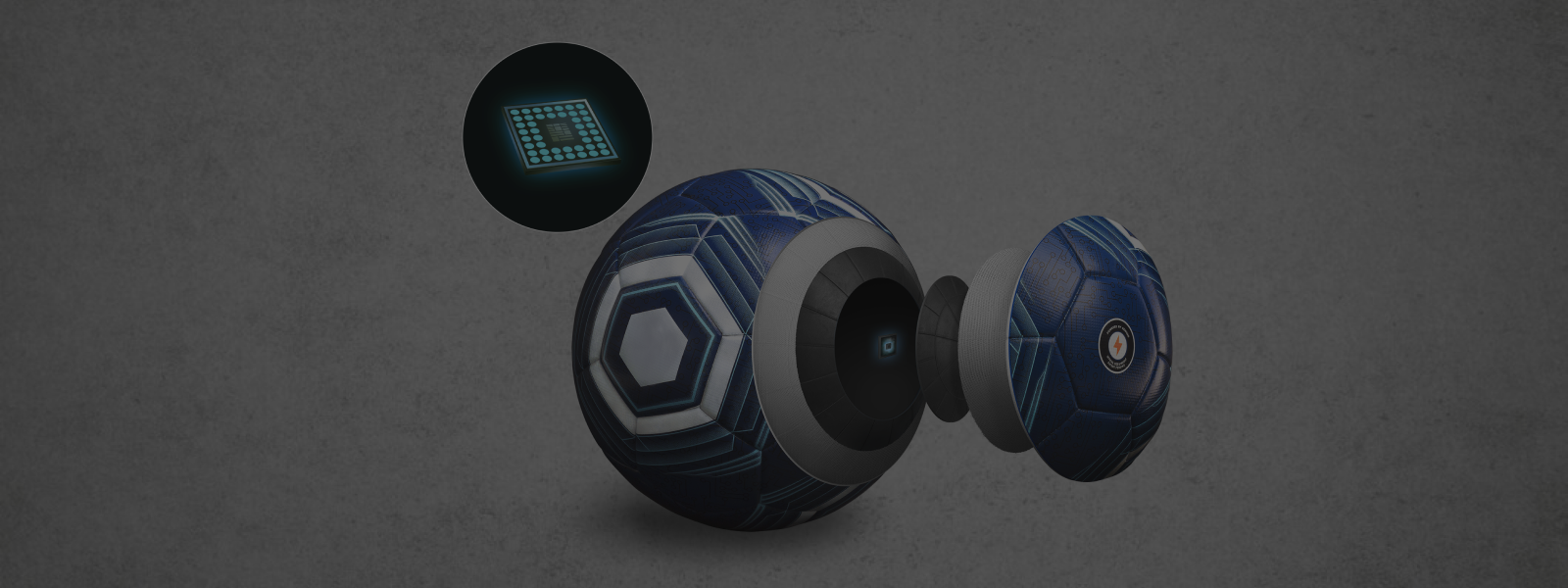
Smart Soccer Ball Support & FAQs
Find out how to get started with your Smart Soccer Ball and the app. Have a question? Discover expert advice and find out how to get in touch with Customer Support.
ON THIS PAGE
Use the corresponding "Jump-to-Section" buttons below to locate the support content topic you need.
GENERAL QUESTIONS
ORDERS AND DELIVERY
GETTING STARTED
TROUBLESHOOTING
MAINTENANCE TIPS
GENERAL QUESTIONS
Get to know more about Smart Soccer Ball
The Smart Soccer Ball and its companion app offers a dynamic range of drills designed to elevate your soccer skills. These drills provide real-time feedback to help you master essential techniques.
Here are the key drills you can practice within the app and with your Smart Soccer Ball:
- Toe Taps: Alternate tapping the top of the smart soccerwith your toes while staying balanced. Focus on keeping the ball stationary and maintaining rhythm.
- Hat Dance: Lift your foot to an appropriate height, so that you can tap the top of the smart soccer. Tap the ball left-right-left, then right-left-right, maintaining rhythm and balance.
- Tic Toc: Tap the smart soccerback and forth between the inside of your feet while staying low. Focus on power and direction control to keep the ball close.
- Roll Taps: Roll the smart soccer smoothly between the inside of your feet, using gentle touches to maintain ball control.
- Pull Inside Push: Pull the smart soccer backward with one foot, then immediately push it forward using the inside of the same foot. Stay light on your standing leg.
- Pull Lace Push: Push the smart soccer forward with your instep, then snap it back with a swift pull—a feinting move designed to wrong-foot defenders.
- Inside Foot Push: Pull the smart soccer back with one foot, then push it forward using the inside of the opposite foot. Focus on seamless transitions.
- Full Instep Push: Pull the smart soccer backward swiftly, then push it forward using the full instep of the opposite foot. Speed up as control improves.
- Juggling: Keep the ball airborne using alternating feet, thighs, or head. Focus on soft touches and consistent height.
- Pull a Vee 1: Pull the smart soccer back, then push it diagonally forwardin a sharp “V” shape. Stay low to maintain balance.
- Pull a Vee 2: Pull the smart soccer back, then push it forward with the outside of the foot, creating space for a shot or pass.
- Back Side Chop: Tap the smart soccer behind your standing leg while pivoting your body 180 degrees. Keep the move quick and controlled.
- Back Vee: Pull the smart soccer backward behind your body while jumping lightly with your standing leg, then push it forward in a swift, controlled motion. Maintain rhythm and keep the ball close to your feet.
All these drills are meticulously designed to improve your ball control, enhance your footwork speed and accuracy, and build a strong connection with the ball. By providing interactive and engaging workouts, the app helps you to consistently refine your technique, track your progress, and ultimately stand out on the pitch!
Learn more about the drills you can practice with Smart Soccer Ball here
Updated on 24 July 2025
Smart Soccer Ball is an advanced training tool designed to provide precise, real-time insights into your ball control and footwork.
As you engage in the various drills within the app, the smart soccer embedded sensors provide live feedback on crucial aspects of your technique. Here's a breakdown of what the Smart Soccer Ball measures:
- Results: Your successful drill performance within the set timeframe (e.g. 30 seconds or 60 seconds), directly reflecting your performance in this drill.
- Fluency: This metric assesses the smoothness, rhythm, and continuous nature of your touches. High fluency indicates excellent ball control without unnecessary hesitations or breaks in your movement.
- Frequency: Measures the sheer number of touches you make on the ball within a given timeframe. A higher frequency often correlates with faster footwork, improved agility, and quicker ball manipulation.
- Drops (for Juggling Drills): Specifically for juggling exercises, this metric tracks how many times the ball touches the ground. Minimizing drops is key to improving aerial control and coordination.
Updated on 15 July 2025
Getting started with Smart Soccer Ball is incredibly simple, designed to get you training efficiently without complex setups. You only need three core components to unlock a new level of soccer skill development:
- The Smart Soccer Ball: This is the heart of your training system. Embedded with advanced sensors, it precisely tracks your interaction with the ball.
- The Wireless Charger: Included with your Smart Soccer, this charger ensures your ball's internal sensors are always powered up and ready for your next session.
- The App: Available for download on your smartphone, this app is your training hub. It connects wirelessly to the Smart Soccer Ball to deliver real-time feedback, guide you through drills, track your progress, and provide all your performance analytics.
With Smart Soccer Ball, there's no need for complicated setups like casting to a TV or positioning your mobile phone cameras to track the ball. The smart soccer integrated sensor communicates automatically and directly with the app, providing a seamless and immediate training experience.
Simply grab your smart soccer , launch the app, and you'll have everything required to take your game to the next level!
Updated on 9 September 2025
No, the Smart Soccer Ball is not designed to track passing or shooting statistics during competitive soccer matches. It is specifically engineered for individual skill development and training.
Understanding Smart Soccer Ball Purpose:
- Designed for Individual Skill Development: The Smart Soccer Ball has been specifically engineered to help you improve essential technical skills through focused, repeatable drills. It excels at providing real-time feedback on your ball control, dribbling, specific kick techniques, and general footwork.
- Ideal for Individual Training: It's perfect for individual practice sessions in your backyard, a local park, or a training area, allowing you to easily train and improve without requiring any additional devices, complicated system setups, or subscriptions.
Why Match Tracking is Different (and what solution exists):
- Tracking comprehensive performance during a dynamic soccer match, including detailed pass completion rates, shot accuracy in game situations, and overall player movement, requires a significantly more advanced and complex system.
- Such robust match performance tracking typically relies on a Local Positioning System (LPS), like the Smart Soccer Ball. INSAIT KS utilizes Ultra-Wideband (UWB) technology and a network of fixed anchors to provide centimeter-level positional accuracy for both players and the smart soccer across an entire pitch. These systems are specifically designed for team-level performance tracking in professional or academy environments, offering in-depth tactical and physical insights during live play.
In summary, while the Smart Soccer Ball helps you master individual techniques with precision, a dedicated team-level solution like INSAIT KS is required for comprehensive match data.
Updated on 9 September 2025
Absolutely not. The Smart Soccer Ball
core technology for tracking ball movement relies entirely on its advanced internal sensors and sophisticated algorithms, not your phone's camera.
Here's why this sensor-based approach is superior for your training:
1. Dedicated Sensor-Based Tracking (Core Technology):
The Smart Soccer Ball is equipped with precise internal sensors (e.g., IMUs - Inertial Measurement Units) that accurately detect and record every touch, movement, rotation, and force applied to the ball. These sensors, combined with intelligent algorithms, process raw data to provide real-time insights into your ball skills. No video tracking or complex computer vision technology from your phone's camera is required for the ball's movement tracking.
2. Freedom from Camera Limitations:
We understand that relying on a phone camera for tracking can be highly restrictive and distracting for users. You would need to:
- Find a stable way to position your phone on the ground or a stand.
- Constantly ensure the camera lens captures the ball's movement within its field of view.
- Risk losing tracking if the ball goes out of camera range, is obscured, or if lighting conditions are poor.
This approach would add unnecessary complications and distractions, pulling your focus away from what truly matters: concentrating on your skill training drills.
3. Enhanced User Experience & Focus:
By utilizing advanced embedded sensors, the Smart Soccer Ball allows you to fully concentrate on improving your soccer skills without needing to worry about camera setup, angles, or whether the ball is being properly captured by a lens. Your movement is unrestricted, and data is consistently collected.
4. Purpose of the Video Recording Function:
The video recording function in the app is an optional add-on feature, completely separate from the ball's tracking mechanism. Its purpose is to empower you (or your friends and parents) to record your training sessions, capture highlights, and showcase your skills. This allows you to:
- Visually review your technique alongside the precise data.
- Create shareable moments for social media.
- Build a personal video diary of your soccer journey.
In essence, prioritizes seamless and accurate skill tracking through its smart ball's internal technology, with video recording as a complementary tool for visual review and sharing.
Updated on 24 July 2025
No, there are no subscription fees to use the Smart Soccer Ball.
All drills and features are included with the purchase of the soccer, providing a seamless training experience at no additional cost. Simply download the app and connect your smart soccer to get started.
Updated on 9 September 2025
Smart Soccer Ball utilizes a comprehensive and engaging gamified system to track your skill development progress over time in the companion app. This system provides clear, measurable indicators of your improvement, making your training journey both effective and motivating.
Here’s how your progress is tracked after each training session:
1. Performance-Based Star Rating:
- Evaluation: After every session, your performance is automatically evaluated and assigned a Star Rating, from 1 to 3 Stars. This rating is based on the quality of your drill execution, considering key metrics like your results.
- Indicator of Success: A higher star rating signifies a more effective, skillful, and successful training session, providing an immediate snapshot of your daily performance.
2. Earning Experience (EXP) Points:
- Reward for Performance: Achieving higher star ratings in your sessions earns you valuable Experience (EXP) Points. The better your performance, the more EXP you accumulate.
- Contribution to Growth: These EXP points directly contribute to your overall progression within the app, providing a tangible reward for your consistent effort and improvement.
3. In-App Levels & Achievements:
- Level Progression: As you continuously earn EXP points, you will progress through various in-app levels. Each new level represents a significant milestone in your development, acknowledging your dedication and growing skill set.
- Unlocking Achievements: Beyond leveling up, the app also offers a range of achievements and badges that you can unlock. These are awarded for mastering specific drills, reaching particular performance thresholds, or maintaining consistent training habits.
This integrated system not only makes your training journey more engaging and fun but also provides clear, quantifiable indicators of your development in ball control, footwork speed, and accuracy, empowering you to see your skills grow and truly stand out on the pitch!
To learn more about the detailed star rating system, how EXP points contribute to your levels, and the exciting achievements you can unlock in the Smart Soccer Ball, please refer to our dedicated blog post.
Updated on 15 July 2025
The Smart Soccer Ball is engineered for exceptional durability and sustained performance, built to withstand the rigors of intense training and match play while preserving an authentic feel.
Here’s how its quality and longevity are ensured:
1. Patented Structural Design for Extreme Durability:
- Impact Resistance: Our patented internal structural design is specifically engineered to endure over 8,000 high-intensity impacts. This significantly surpasses standard durability requirements (it's 4 times the FIFA standards for impact testing), ensuring the ball maintains its integrity even through countless powerful shots and hard tackles.
- Shape Retention & Sensor Protection: This robust construction is designed not only to absorb impacts but also to retain the ball's spherical shape over time and, crucially, to protect the advanced internal sensors from damage, ensuring consistent and accurate data collection throughout its lifespan.
2. All-Weather and Environmental Resilience (IP67 Rated):
- IP67 Construction: The Smart Soccer Ball features IP67-rated construction. This means it is fully protected against dust ingress (dust-tight) and can withstand temporary immersion in water (up to 1 meter for 30 minutes).
- Play Anywhere: This high level of ingress protection ensures the ball remains resilient and fully functional in any playing condition, including adverse weather like rain, mud, or dusty fields, allowing for consistent training without environmental limitations.
3. Blending Technology with Traditional Feel:
- Premium Materials: Despite its advanced technology, the ball is crafted with a seamless outer surface and premium bladder material. This ensures a superb and traditional touch, feel, and response, mimicking a high-quality standard soccer.
- Authentic Dynamics: Our patented smart soccer technology is integrated in a way that preserves the authentic roll and flight dynamics of a traditional soccer. This commitment to maintaining true-to-tradition performance means you get both cutting-edge data and a familiar playing experience that lasts.
In essence, the Smart Soccer Ball is built to perform and built to last, providing a reliable and durable training companion that withstands the demands of the beautiful game.
Updated on 24 June 2025
When you unbox your new Smart Soccer Ball, you will find everything you need to start your data-driven training journey.
The package includes:
- 1 x Smart Soccer Ball: The core of your training system, featuring embedded sensors and our AI-powered algorithm.
- 1 x Wireless Recharging Base: Designed for convenient and simple charging of your Smart Soccer.
- 1 x USB Charging Cable: For connecting the wireless recharging base to a power source.
- 1 x Quick Guide: A short manual with essential instructions for setup and customer support information.
Important Notes:
- A USB power adapter (wall plug) is not included in the box and must be provided by the user.
Updated on 1 August 2025
ORDERS AND DELIVERY
Frequently asked questions about your Smart Soccer Ball orders
Selecting the correct soccer size is crucial for effective skill development, injury prevention, and an authentic playing experience. The Smart Soccer Ball is available in two standard sizes, each recommended for specific age groups and stages of player development:
Standard Size 4
Specifications:
- Circumference: Approximately 63.5 - 66 cm (25 - 26 inches)
- Weight: Between 350 - 390 g (12.3 - 13.8 oz)
Recommended For:
- Children 12 years old and under.
- This size is ideal for younger players because its slightly smaller size and lighter weight make it significantly easier to manipulate. This allows children to focus on developing fundamental ball control, dribbling, and passing techniques without over-exerting their ankles and legs. Using an appropriately sized ball helps prevent strain and encourages proper form as they build confidence and coordination.
Standard Size 5
Specifications:
- Circumference: Approximately 68 - 70 cm (26.8 - 27.6 inches)
- Weight: Between 420 - 450 g (14.8 - 15.9 oz)
Recommended For:
- Players over 12 years old.
- This is the standard full-size soccer used by adult professional leagues, clubs, and teams worldwide. For players over 12, the Size 5 ball helps in developing the strength, power, and precise touch required for competitive adult-level play. It's essential for familiarizing players with the ball they will use in official matches as they progress in their soccer journey.
Updated on 24 June 2025
You can purchase the Smart Soccer Ball through two convenient options:
1. Order Directly from Our Official Online Store
For the most direct purchase experience, you can order your Smart Soccer from our official online store: Smart Soccer Ball. By purchasing directly, you are guaranteed to receive the authentic product straight from the source.
Updated 1 August 2025
To ensure your convenience and security, we offer different payment options depending on where you make your purchase.
When Ordering Directly from the Official Store
Currently, all payments on our official online store are processed securely. You can use linked bank account/credit card to complete your purchase.We are always evaluating additional secure payment methods and will announce any new options in the future.
Updated on 1 August 2025
The timing for receiving your order confirmation depends on where you made your purchase.
Ordering Directly from the Official Store
- You should receive an order confirmation email to your provided email address within just a few minutes of successfully placing your order. This email confirms that your purchase has been received and is being processed.
- If you don't see the confirmation in your inbox, please be sure to check your junk or spam mail folder, as sometimes automated emails can be filtered there.
- If you still haven't received your order confirmation after a short wait, please don't hesitate to contact our support team at for assistance.
Updated on 24 June 2025
You can purchase and receive your Smart Soccer Ball through two main channels: direct delivery from our official store.
If your country is not listed above for direct delivery, or if you prefer localized service, we recommend checking our Distributor Locator Page to find an authorized distributor in your region.
The method for tracking your order depends on where you made your purchase:
Ordering Directly from the Store
- Tracking Number: We typically send you an email with a tracking number for your order within 2-3 business days after your purchase. Please check your inbox (and spam folder) for this email.
- Multi-Leg Shipping (Important Note): In some instances, your order may be shipped via air freight to your country (or a nearby regional hub) before being handed over to a local courier service for final delivery. In such cases, you might not be able to track your parcel's status until it has been transferred to the courier service provider. This is normal and ensures efficient international shipping.
- Need Assistance? If you have any questions about your tracking information, or if you haven't received your tracking number within the expected timeframe, please do not hesitate to contact our support team directly. We're here to help!
Updated on 24 June 2025
Delivery times depend on your location and whether you order directly from our official store.
Ordering Directly from the Official Store
For orders placed via our official online store, please note the following typical delivery estimations. These are working days and do not include potential customs processing times, which can vary by country.
- For the Rest of the World: If your region is not listed above, please contact our sales team at support@motioniq.ca for more specific delivery information and assistance.
Important Notes:
- All delivery times provided are estimations only.
- These estimates do not include any potential delays that may occur due to customs procedures or unforeseen logistical issues in your country.
- If you experience significant delays with your parcel or have any questions regarding your shipment, please do not hesitate to contact us at support@motioniq.ca. We're here to help!
Updated on 6 August 2025
For safety reasons during airfreight, your Smart Soccer Ball will be delivered in a deflated state.
- Why? Changes in air pressure during shipping can cause an inflated ball to burst.
- What to expect: The ball will still retain its round shape upon arrival, but it will not be firm.
- Before first use: Please inflate the smart soccer to its recommended pressure before you begin using it.
Updated on 1 August 2025
Yes, you can certainly obtain an invoice for your purchase, depending on where you placed your order.
For Orders from the Official Smart Soccer Ball
If you wish to receive a copy of your invoice for a direct purchase, please contact us via email:
- Email Address: support@motioniq.ca
- Subject Line: To help us process your request quickly, please include your order number in the subject line of your email (e.g., "Invoice Request - Order #12345").
- Company Details (Optional): If you require your invoice to include a specific Company Name or Company Billing Address, please provide these details clearly within your email body.
Once we receive your request with the necessary information, we will process it and email the invoice to you for your records.
Updated on 24 June 2025
Yes, customs duties, import taxes, VATs and/or other fees may be applied to your order upon arrival in your country.
These charges are determined by the customs authority of your destination country and are levied in accordance with their import laws and regulations. They are not included in the product price or shipping cost you pay at the time of purchase from our store.
It is important to understand that:
- The recipient (you, the customer) is responsible for paying any and all customs duties, import taxes, and related fees that may be assessed by your local customs office.
- MotionIQ has no control over these charges and cannot predict what they might be, as they vary significantly from country to country.
To determine if these charges will apply to your order, and to estimate potential costs, we strongly recommend you:
- Contact your local customs office or
- Check with your local shipping courier (e.g., DHL, FedEx, local postal service) in advance of placing your order.
Understanding these potential additional costs beforehand will help ensure a smooth delivery process for your Smart Soccer Ball.
Updated on 24 June 2025
GETTING STARTED WITH YOUR SMART SOCCER BALL
"How-to" guides for your Smart Soccer Ball
Device Compatibility
To ensure the best experience with the Smart Soccer Ball, please check your smartphone's operating system compatibility:
- For iPhones (iOS devices): The Smart Soccer Ball app requires iOS 11.0 or later. We recommend updating to the latest available iOS version for optimal performance and compatibility.
- For Android Phones: The Smart Soccer Ball app requires Android 9.0 (Pie) or later. We recommend updating to the latest available Android version for optimal performance and compatibility.
Important Notes & Troubleshooting Tips
- Storage Space: Please ensure your phone has sufficient available storage space before attempting to download the app.
- App Permissions: After installation, the app may request necessary permissions (e.g., Bluetooth) to connect with your shin guards. Please grant these for full functionality.
- Trouble Finding the App? Double-check your search spelling. If you're still experiencing issues, verify that your device meets the minimum operating system requirements.
Up-to-date
We are continuously working to improve the Smart Soccer Ball with new features and enhancements. We highly recommend keeping your app updated to the latest version to enjoy all the functionalities and benefits.
Updated on 28 August 2025
In-app User Manual
The most current version of your user manual is always available directly within the mobile application. This method ensures you have immediate access to the latest updates and information right on your smartphone.
To access the in-app user manual, please follow the below step-by-step navigation:
- Open on your smartphone.
- From the Me section, select 'User Manual' to view the full document.
Download User Manual from Our Website
If you prefer to view the manual on a larger screen (like a desktop computer or tablet), you can also download or view the User Manual here
User Manual Update Records
The User Manual was last updated in May 2025, ensuring it reflects the most current features, functionalities, and best practices for your Smart Soccer Ball. We continuously update the in-app version to provide you with the most relevant and accurate information.
Updated on 24 June 2025
Recharging your Smart Soccer Ball is a straightforward process, ensuring your ball is always ready for your next training session. Please follow these steps carefully for optimal battery performance and longevity.
Important Notice: Your smart soccer is in an uncharged state at the time of shipment. Please ensure it is fully charged by following the steps below before its first use.
Step-by-Step Recharging Guide:
1. Connect the Wireless Charging Base:
- Connect the provided USB cable to the wireless recharging base.
- Plug the other end of the USB cable into a power adapter with a 5V/1.5A output. Using the correct adapter ensures efficient and safe charging.
- Once the charging base is powered, its LED indicator will turn green. This signifies that the base is ready to begin charging your Smart Soccer Ball.
2. Place the Smart Soccer on the Base:
- Carefully place your Smart Soccer Ball onto the wireless recharging base.
- Crucially, ensure the charging mark on the ball (a small lightening icon, which should be facing downward) aligns perfectly with the charging mark at the center of the charging base.
3. Confirm Charging Status:
- Once properly placed, the LED indicator on the charging base will turn a solid orange. This confirms that your Smart Soccer Ball is now actively being charged.
Important Notes & Best Practices for Recharging:
- Full Charge Duration: Your Smart Soccer Ball should be fully charged after approximately 2.5 hours. The LED indicator on the base will turn solid green once the ball has reached a full charge.
- Weekly Recharging: We strongly suggest you recharge your Smart Soccer Ball at least once a week, especially if it's been used. This practice helps maintain optimal battery health and extends its overall lifespan.
Troubleshooting Blinking Orange LED:
A blinking orange LED indicator signifies an error during recharging. This is most commonly caused by:
- Misplacement: The smart soccer is not perfectly aligned or has improper contact with the charging base. Re-position the ball carefully.
- Foreign Objects: There might be objects (like dust, debris, or small items) between the smart soccer and the charging base preventing proper contact. Clear the surface.
- Metal Interference: Ensure the charging base is not placed on a metal surface, as metal can interfere with wireless charging.
- Multiple Chargers: If you are using several wireless chargers or charging bases simultaneously nearby, make sure each pair maintains a distance of at least 30 centimeters from each other to prevent interference.
By following these guidelines, you're ensuring that your Smart Soccer Ball is always powered up and ready for your next training session.
Updated on 24 June 2025
Connecting your Smart Soccer Ball to the app is a quick and essential step before you can begin tracking your performance and engaging in drills. Follow these instructions to establish a seamless connection:
1. Wake Up Your Smart Soccer Ball:
Before attempting to connect to your phone, you need to activate the smart soccer ball from its sleep mode. Gently wake up your smart soccer ball by bouncing it a few times on the ground (typically 3-5 gentle bounces are sufficient).
2. Prepare Your Smartphone's Bluetooth:
Ensure that Bluetooth is turned ON in your smartphone's settings. The Smart Soccer ball communicates wirelessly via Bluetooth Low Energy.
3. Connect Exclusively Through the Smart Soccer Ball:
- Open the Smart Soccer Ball on your smartphone.
- If you haven't already, log in to your account.
- On the home page of the app, look for a prominent 'Connect' button to connect your device.
- Tap this 'Connect' button and follow any on-screen instructions that guide you through the pairing process. The app will automatically search for and connect to your activated smart soccer ball.
Important Note: Do NOT connect via your phone's Bluetooth settings!
- It is crucial that you do NOT attempt to connect the Smart Soccer Ball directly from your phone's general Bluetooth connection settings.
- The Smart Soccer Ball requires a proprietary connection to recognize and utilize the ball's sensor data. If connected outside the app, the app will not be able to recognize the connection, and you will not be able to track your stats or use the drills. Always initiate the connection from within the Smart Soccer Ball app itself.
Once successfully connected, your Smart Soccer ball is ready for training, and you can start enjoying real-time feedback and performance tracking!
If you encounter any issues during the connection process, please refer to our troubleshooting guide below.
Updated on 24 June 2025
Performing the sensor calibration is a crucial one-time setup process for your Smart Soccer Ball. This calibration ensures the ball's internal sensors accurately track your movements and collect precise data during your training sessions.
Before you begin:
- Ensure your Smart Soccer Ball is sufficiently charged and successfully connected to the Smart Soccer Ball.
- Find a quiet, flat, and stable surface for the static steps (like the floor).
Step-by-Step Calibration Guide:
1. Read On-Screen Instructions:
- When prompted in the Smart Soccer Ball, take a moment to carefully read and understand the on-screen calibration instructions. These visual cues will guide you through each phase.
2. The Controlled Drop & Bounce:
- Hold your smart soccer perfectly still at shoulder height (or roughly 1.5 meters / 5 feet) for at least 1 second.
- Let the ball fall naturally to the ground and allow it to bounce clearly a few times. Try your best to prevent it from spinning excessively after the bounce. This step helps the sensor detect the impact and initial orientation.
3. Static Position - Valve Upward:
- Gently place the ball on a flat, stable surface (e.g., the floor). Do NOT hold the ball in your hand during this step to avoid any accidental movement.
- Ensure the ball remains completely still with the valve facing directly upward.
- Once the ball is stable and correctly oriented, tap the 'Start' or confirmation button on the app screen.
4. Static Position - Valve Downward:
- Carefully rotate the ball so it remains completely still on the ground with the valve facing directly downward. Again, ensure no movement from your hand if you need to adjust it.
- Once stable and correctly oriented, tap the 'Start' or confirmation button on the app screen.
Completion and Important Notes:
- Calibration Complete: If all steps are performed successfully, the app will confirm that your calibration is finished.
- Why Calibration Matters: Calibration is vital for collecting your performance data (like fluency, frequency, and results) with the highest possible accuracy. We highly recommend completing these steps before you start playing to ensure reliable tracking from your first session.
- Troubleshooting & Retrying: In case the calibration fails at any point, the app will notify you. Simply go back to Step 1 and retry the entire sequence, paying extra attention to holding the ball perfectly still and ensuring correct valve orientation in the static steps. For more specific troubleshooting, refer to our corresponding troubleshooting guide below.
Once successfully calibrated, your Smart Soccer Ball is ready to provide precise real-time feedback and track your progress!
Updated on 24 June 2025
Starting a training drill in the app is quick and intuitive, designed to get you practicing and improving your skills in no time. Follow these steps to begin your session:
Before You Start:
- Ensure Connection: Make sure your Smart Soccer Ball is powered on (a few bounces will wake it up) and successfully connected to your phone via Bluetooth.
Step-by-Step Guide to Starting a Drill:
1. Navigate to the Drill Section:
- From the home screen of the, you will find various sections. Locate and tap on the area dedicated to drills or workouts.
2. Choose Your Skill Level:
- The app typically offers drills categorized by difficulty levels (e.g., Beginner, Advanced, or Expert). Pick a level that best fits your current skill set to ensure an appropriate challenge.
3. Select a Specific Drill:
- Browse through the available drills within your chosen level. Tap on a specific drill (e.g., "Toe Taps," "Juggle," "Pull a Vee") to view its details.
4. Review Drill Details & Watch Tutorial (Optional but Recommended):
- On the drill's dedicated page, you can find a brief description. We highly recommend tapping the 'Tutorial' button to watch a video guide on how to properly perform the drill. This ensures you understand the technique and maximize your training effectiveness.
- For a detailed introduction to all the drills and their benefits, you can refer to our blog post.
5. Select Your Training Mode:
Before you start, choose a mode that suits your training goal:
- 30-Second Countdown: Focus on maximizing repetitions or fluency within a shorter burst.
- 60-Second Countdown: A longer challenge to test your endurance and consistency over a minute.
- Free Mode: Practice without any time limits, allowing you to challenge your personal best or simply work on technique at your own pace.
6. Enable Video Recording (Optional):
- For all drills, you have the option to enable the 'Record' feature (choosing between your phone's Front or Back camera).
- If enabled, the app's built-in camera function will record your session highlights with on-screen scores and stats. This is perfect for reviewing your performance, sharing your progress with friends or coaches, or creating engaging content for social media!
6. Tap 'Go' and Start Training!
- Once you've selected your drill, mode, and optional recording, tap the 'Go' button to begin your drill. The app will provide cues to start and track your performance.
7. After Your Drill:
- Once the drill is finished (or you stop 'Free' mode), the app will automatically award your star ratings based on your performance and calculate your EXP points.
- You'll then have the option to share your results (as an image summary or a recorded video log) directly to social media, celebrating your achievements!
Updated on 24 June 2025
The Smart Soccer Ball offers flexible training modes designed to cater to different goals and preferences for each drill. These modes allow you to vary your intensity, duration, and focus, helping you get the most out of every training session.
You can select your preferred training mode before starting any drill. Smart Soccer Ball currently provides 3 distinct modes:
30-Second Countdown (Default Mode):
- Purpose: This mode challenges you to perform the drill as many times as possible within a short, intense 30-second period.
- Benefit: It's ideal for testing your quickness, fluency, and ability to execute skills under pressure. It's great for quick, high-intensity bursts of practice.
60-Second Countdown:
- Purpose: Offering a longer duration, this mode extends the challenge, requiring sustained effort.
- Benefit: It helps you build endurance and stamina alongside your technical skills. It's perfect for pushing your limits and developing consistency over a longer period.
Free Mode:
- Purpose: This mode removes all time constraints, allowing you to train without a countdown.
- Benefit: It's excellent for working on your technique at your own pace, experimenting with new movements, or simply enjoying an unpressured practice session. You can focus purely on refining your form or even challenging yourself to beat your personal best number of repetitions without the ticking clock.
These versatile training modes ensure that you can customize your practice to fit your specific goals, whether it's speed, endurance, or technical mastery.
Updated on 24 July 2025
Yes, it is essential to keep your Smart Soccer Ball connected to your phone via Bluetooth during your practice sessions. Here's why a continuous connection is required:
- Real-time Data Collection: The Smart Soccer Ball is designed to measure your exercise results and ball interactions in real-time. This includes live feedback on metrics like test results, fluency, frequency, drops in juggling, and other performance indicators. To capture this dynamic data as it happens, a constant wireless link is necessary.
- Instant Feedback and Guidance: The Smart Soccer Ball provides immediate visual and sometimes auditory feedback based on your live performance. This instant insight helps you adjust your technique on the fly and ensures you are following drill instructions correctly, which relies on an active connection.
- Accurate Session Tracking: All your performance data is streamed directly to the app to be processed, analyzed, and saved as a comprehensive session report. Without a live connection, the app cannot receive the data from the ball, leading to incomplete or lost session information.
To ensure a seamless connection during your practice:
- Enable Bluetooth: Always make sure Bluetooth is turned on in your mobile phone's settings.
- Maintain Proximity: Keep your Smart Soccer Ball within 5 meters (approximately 16 feet) of your phone. While Bluetooth range can vary based on environmental factors (like walls or interference), staying within this optimal distance will ensure the most stable and reliable connection for real-time data transmission.
Updated on 24 June 2025
The Smart Soccer Ball makes it easy to manage your recorded training videos, allowing you to share your progress, save highlights to your phone, or clear up space.
Here’s a simple guide to accessing and managing your video library:
Step-by-Step Guide to Managing Your Videos:
1. Navigate to 'History':
- Open the Smart Soccer Ball. In the bottom navigation bar (next to 'Home'), tap on the 'History' tab. This section is your personal log of past training sessions and recorded content.
2. Select the 'Videos' Tab:
- Within the 'History' section, you will see different tabs ('Trends', 'History', 'Videos'). Tap on the 'Videos' tab to access your library of recorded training clips.
3. Choose Your Desired Video:
- Browse through the video thumbnails or list. Tap on the specific video you wish to manage (share, save, or delete). This will open the video player.
4. Access the Options Menu:
- Once the video is open, look for the three dots icon (...) located in the top right corner of the screen. Tap these three dots to reveal a dropdown menu with your management options.
5. Available Actions:
From this options menu, you will typically find the following choices:
- Share: Tap 'Share' to post your video directly to various social media platforms (e.g., Instagram, TikTok, Facebook) or to other messaging apps. This is a great way to showcase your progress and engage with your community.
- Save (Download to Phone): Select 'Save' to download the recorded video directly to your phone's photo gallery or video library. This allows you to keep a personal copy, edit it further, or share it outside the app's direct sharing features.
- Delete: Choose 'Delete' to remove the recorded video from your Smart Soccer Ball app's library. This is useful for managing your video collection. Please note that once deleted, the video cannot be recovered.
Updated on 24 June 2025
Updating the firmware on your Smart Soccer Ball is essential for optimizing its performance, accessing new features, and ensuring the best possible tracking accuracy. The process is straightforward, but it's crucial to follow the steps and cautions carefully to ensure a successful update.
! IMPORTANT: Before You Start the Firmware Update !
To prevent any issues during the update process and ensure your smart soccer remains fully functional, please adhere to these critical prerequisites:
Crucial Battery Level:
- Your Smart Soccer Ball MUST be fully recharged or have at least 50% battery remaining before you begin the update.
- An interrupted update due to insufficient battery can potentially corrupt the firmware and render your device inoperable.
Stable Power & Connectivity:
- Ensure your mobile phone's Bluetooth is enabled.
- Confirm your smart soccer is powered on.
- Place the smart soccer within close proximity to your phone (ideally within a few feet/meters) and keep them still throughout the update.
Minimize Disturbances – DO NOT Interrupt:
- DO NOT close the Smart Soccer Ball, turn off Bluetooth, or allow your phone to go to sleep once the update process begins.
- DO NOT operate your phone for other tasks (e.g., browse, call, text) during the update.
- DO NOT move or use the smart soccer during the update process.
- Any interruption can lead to a failed update and potentially render your device inoperable.
Step-by-Step Firmware Update Process
- Open the Smart Soccer Ball on your mobile phone.
- From the bottom navigation bar, tap on the 'Me' tab. Select 'My Smart Soccer' from the menu options.
- Tap 'Device Info' to connect to your smart soccer. Ensure a successful connection is established.
- Look for the 'Firmware Update' option. This option will only appear if an update is available for your device. If you do not see this option, it means your smart soccer already has the latest firmware installed.
- If an update is available, tap the 'Firmware Update' option. Follow the on-screen instructions to begin the download and installation of the new firmware.
- The update process typically takes a few minutes. It is vital to keep your phone and smart soccer still and near each other for the entire duration of the update.
- The app will notify you once the firmware update is successfully completed.
By following these instructions carefully, you can ensure a smooth and successful firmware update for your Smart Soccer Ball.
Updated on 18 July 2025
You can easily monitor the battery status of your Smart Soccer Ball directly within the Smart Soccer Ball mobile app. This ensures you're always aware of your charge level and can plan your training sessions accordingly.
Follow these simple steps to check your battery status:
- Ensure Connection: First, make sure your Smart Soccer Ball is powered on (you may need to bounce it a few times to wake it up) and successfully connected to the Smart Soccer Ball App via Bluetooth.
- Open the App: Launch the Smart Soccer Ball App on your smartphone.
- Navigate to 'Me' Tab: Tap on the 'Me' tab located in the bottom navigation bar of the app. This section houses your personal profile and device settings.
- Select 'My Smart Soccer': From the menu options presented in the 'Me' section, select 'My Smart Soccer'.
- View Device Info: Within the 'My Smart Soccer' screen, tap on 'Device Info'. Here, you will see the remaining battery status for your smart soccer.
For details, please refer to our Tip of the Week: How to Check Your Device Battery Status.
Updated on 13 October 2025
TROUBLESHOOTING
Step-by-step troubleshooting guides for connection, calibration or recharging issues.
If you're experiencing difficulties recharging your Smart Soccer Ball, these troubleshooting steps will help you identify and resolve the issue.
1. Verify Your Charging Setup:
Power Adapter Check:
- Ensure you are using a power adapter with the correct output specification of 5V/1.5A. Using an incompatible adapter can prevent proper charging or even damage the device.
- If possible, try switching to another functioning 5V/1.5A power adapter (e.g., from another compatible small electronic device) to rule out adapter failure.
Wireless Charging Base Connection:
- Ensure the wireless charging base itself is securely plugged into a functioning power outlet or a reliable USB cable/port. You can try a different outlet, USB cable or port to rule out power source issues.
2. Ensure Proper Placement on the Wireless Charging Base:
Accurate placement is critical for wireless charging:
Alignment:
- Carefully align the charging mark on the ball (this mark should face downward) with the charging mark located at the very center of the wireless charging base.
Charging Indicator:
- A constant orange light on the wireless charging base indicates that the smart soccer is charging properly.
- A solid green light indicates that charging is complete.
- If there is no light, it means there is no contact or power to the base.
3. Troubleshoot a Blinking Orange LED Indicator:
A blinking orange LED on the charging base indicates an error or improper charging condition. This is often caused by:
- Misplacement/Improper Contact: The most common cause. Gently lift and re-position the smart soccer on the charging base, ensuring the charging marks are perfectly aligned and the ball sits firmly.
- Foreign Objects: Check carefully for any foreign objects (like dust, debris, or small items) between the smart soccer and the charging base that might be preventing proper contact.
- Metal Surfaces: Ensure the wireless charging base itself is not placed on a metal surface. Metal can interfere with wireless charging signals.
- Interference from Other Chargers: If you are using multiple wireless chargers or charging bases simultaneously nearby, try to maintain a distance of at least 30 centimeters (approx. 12 inches) between each device to avoid interference.
4. Other Considerations:
- Ball Not Waking Up: If the ball has been completely depleted for a long time, it might need a moment to "wake up" even after being placed on the charger. Leave it on the charger for a few minutes before checking the light.
Still Need Help?
If, after trying all the above steps, you are still unable to successfully recharge your Smart Soccer Ball, please contact our customer support team for further assistance. Provide them with details about your issue, the troubleshooting steps you've already attempted, and confirm the light indicator behavior on your charging base.
Updated on 24 June 2025
A blinking orange LED indicator on your Smart Soccer Ball wireless recharging base signals an error or an improper charging condition. This is a safety mechanism to prevent damage and is typically simple to resolve. Here are the most common causes and how to troubleshoot them:
Common Causes & Solutions for a Blinking Orange Light
1. Misplacement or Improper Contact (Most Common):
- Cause: The smart soccer is not perfectly aligned on the charging base, or there's insufficient contact between the ball and the base's charging coil.
- Solution: Gently lift your Smart Soccer Ball and re-position it on the wireless recharging base. Ensure the charging mark on the ball is facing down to precisely match the charging mark at the center of the base, and that the ball sits firmly and stably.
2. Foreign Objects Between Ball and Base:
- Cause: Small items, dust, debris, or even a thick ball cover might be obstructing the connection between the smart soccer and the charging base.
- Solution: Carefully inspect the surface of both the smart soccer and the charging base for any foreign objects. Remove any obstructions and ensure both surfaces are clean before re-placing the ball.
3. Interference from Metal Surfaces:
- Cause: Placing the wireless recharging base on a metal object or surface can interfere with the wireless charging signal (electromagnetic induction).
- Solution: Ensure the Smart Soccer Ball wireless charging base is not placed on any metal objects or surfaces. Move the charging base to a non-metallic surface (e.g., wood, plastic, glass).
4. Interference from Other Wireless Chargers:
- Cause: Operating multiple wireless chargers or wireless charging bases too close to each other can cause signal interference.
- Solution: If you are using several wireless charging devices simultaneously, ensure each two of them maintain a distance of at least 30 centimeters (approximately 12 inches) from each other.
5. Power Adapter Issue (Review the Power Source):
- Cause: While not explicitly indicated by a blinking light for all chargers, an insufficient or faulty power adapter can lead to charging issues.
- Solution: Double-check that you are using the provided USB cable and a 5V/1.5A output power adapter, as recommended in the user manual. Try plugging the charger into a different power outlet or using a different compatible adapter to rule out power supply problems.
If you have performed these checks and the wireless recharging base continues to display a blinking orange light, please contact our customer support team for further assistance by emailing support@motioniq.ca
Updated on 18 July 2025
If you're experiencing difficulty connecting your Smart Soccer Ball to the app, don't worry – this is often easily resolved. Follow these troubleshooting steps to establish a connection:
1. Essential Device Preparation:
Enable Bluetooth:
- First, ensure that Bluetooth is actively enabled on your mobile phone. The Smart Soccer Ball connects wirelessly via Bluetooth.
Proper Charging and Power:
- Confirm your smart soccer is properly recharged. A low battery is a common reason for connection issues.
- Make sure you use a power adapter with a 5V/1.5A output for optimal charging.
- Ensure the smart soccer is correctly placed on the wireless charging base. Align the charging mark on the ball (it should face downward) with the charging mark at the center of the base. The light on the wireless charging base will turn orange to indicate that the smart soccer is charging properly. If it's green, it's fully charged; if it's blinking orange, there might be a placement error.
2. Wake Up Your Smart Soccer:
The Smart Soccer Ball has a sleep mode to conserve battery. To activate its sensors and make it discoverable, wake up your smart ball by bouncing it a few times on the ground (typically 3-5 gentle bounces are sufficient).
3. Initiate Connection in the App:
- Open the Smart Soccer Ball on your phone.
- Navigate to the Connect button in the home page.
- Proceed to attempt the connection. The app should now detect your activated smart soccer.
4. Further Troubleshooting (If Steps 1-3 Don't Work):
- Restart the App: If the app becomes unresponsive or fails to connect, fully close the Smart Soccer Ball from your phone's recent apps list and then relaunch it.
- Restart Your Phone: Sometimes, a quick phone restart can resolve underlying Bluetooth or app issues.
- Relocate: Ensure there are no major interferences between your phone and the smart soccer(e.g., thick walls, other strong wireless signals).
- Check for Connection with Other Devices (Crucial): Your Smart Soccer Ball can typically only maintain one active Bluetooth connection at a time. If you have previously connected your Smart Soccer Ball with another mobile phone or tablet, please ensure that the connection with those devices is cut off. The simplest way to do this is by turning off Bluetooth on those other devices that might be trying to connect to the ball. This ensures your current phone is the sole device attempting to pair.
Still Need Help?
If, after trying all the above steps, you are still unable to connect to your Smart Soccer Ball, please contact our customer support team for further assistance. Provide them with details about your phone model, app version, and the troubleshooting steps you've already attempted.
Updated 24 July 2025
Calibrating your Smart Soccer Ball is an essential one-time setup step that ensures accurate data measurement. If you're encountering difficulties, don't worry – common issues can often be resolved by carefully following these steps and tips:
Understanding the Calibration Process:
The calibration process helps the smart soccer internal sensors establish their orientation and sensitivity for accurate tracking. It typically involves a series of precise movements and static positions.
Here’s a quick guide to double-check each step:
Step 1: Initiate the First Calibration Phase
- In the Smart Soccer Ball, when prompted, tap the 'Start' button to begin the first stage of the calibration process.
Step 2: The Controlled Drop and Bounce
- Hold the smart soccer still directly above your shoulders for at least 1 second.
- Then, let it fall naturally to the ground and allow it to bounce. Ensure the ball bounces clearly and isn't caught or stopped immediately after the fall. Try to minimize any spinning.
Step 3: Static Position - Valve Facing Upward
- Place the smart soccer gently on a flat, stable surface (e.g., the ground, not in your hand).
- Ensure the ball remains completely still with the valve facing directly upward.
- Once stable and correctly oriented, tap the 'Start' button in the app to confirm this position.
Step 4: Static Position - Valve Facing Downward
- Carefully adjust the ball so it stays completely still on the ground with the valve facing directly downward.
- When it's stable and oriented correctly, tap the 'Start' button in the app to finalize the calibration.
Troubleshooting Tips for Failed Calibration:
If you're still unable to complete the calibration, consider these points:
- Precision is Key: The calibration process requires precise stillness and correct orientation. Even slight movements or incorrect valve positioning can cause a failure.
- Avoid Accidental Movement: For Steps 3 and 4, always place the smart soccer securely on the ground rather than holding it in your hand. This helps prevent any unintentional movement that could interfere with the sensor's readings.
- Quiet Environment: Perform calibration in a quiet area with minimal vibrations or disturbances.
- Retry the Process: If one step fails, go back to Step 1 and retry the entire calibration sequence carefully. Sometimes, a fresh start helps.
- Check Battery & Connection: Ensure your smart soccer is sufficiently charged and properly connected to the app before attempting calibration (refer to "Unable to connect to Smart Soccer Ball " if you have connection issues).
- Skip and Test (Temporary Solution): If repeated attempts fail, the app may offer an option to skip the calibration process. If so, proceed to skip it and then try starting a drill (e.g., juggling). Carefully observe if the ball can still measure your stats accurately during the drill. This can help determine if the core tracking functionality is working despite calibration issues.
Still Need Help?
If you have followed all these steps and are still unable to complete the calibration process or accurately measure stats during drills, please contact our customer support team for further assistance. Provide them with details of the issue, your phone model, app version, and the troubleshooting steps you've already attempted.
Contact Us: support@motioniq.ca
Updated on 24 June 2025
We completely understand that your Smart Soccer Ball might occasionally go out of Bluetooth range during dynamic drills, especially when you're juggling or kicking the ball with enthusiasm. But don't worry – the system is specifically designed to handle this seamlessly, ensuring you never lose your training progress.
Seamless Reconnection and Data Preservation:
- Internal Data Storage: The Smart Soccer Ball is equipped with an internal storage mechanism. This means that even when the ball momentarily loses its Bluetooth connection with your phone (e.g., if you kick it too far, or your phone is out of range), it continues to temporarily store all your training data internally.
- Automatic Reconnection: Once the smart soccer is brought back within the Bluetooth connection range of your mobile phone, it will automatically reconnect to the Smart Soccer Ball without any manual intervention from you.
- Effortless Data Synchronization: Upon successful reconnection, all the training results that were temporarily stored inside the ball will be automatically transmitted and synchronized with your Smart Soccer Ball on your phone.
What You Need to Do (Practically Nothing!):
- If your ball goes out of range during an exercise, simply retrieve the ball and bring it back closer to your mobile phone.
- Nothing else needs to be done! You can immediately resume your drills, confident that all your performance data will be captured and saved.
This design ensures that your focus remains entirely on improving your skills, providing an uninterrupted and frustration-free training experience.
Updated on 24 July 2025
No, your recorded video clips are NOT stored in the cloud server. This is a crucial point regarding data management for the Smart Soccer Ball.
Important Information About Your Video Library
- Local Storage Only: Videos recorded within the Smart Soccer Ball are stored locally on the device where they were originally captured. They are not automatically uploaded or backed up to MotionIQ cloud servers or your Smart Soccer Ball account.
Consequences of Reinstallation/New Device
- Uninstalling the App: If you uninstall the Smart Soccer Ball app from your phone, all recorded videos stored within the app will be permanently lost from that device.
- Logging In on a New Mobile Device: Similarly, if you install the app and log in on a new mobile phone, you will not be able to access the videos that were recorded and stored on your previous device.
How to Preserve Your Recorded Videos
To ensure your valuable video clips are properly stored and accessible across devices or after reinstallation, you must manually save them to your phone's native photo/video library. From there, you can back them up to your personal cloud storage (e.g., Google Photos, iCloud, Dropbox) or transfer them to a computer.
Here are the steps to save your videos:
- Open the Smart Soccer Ball App and Navigate to 'History': In the bottom navigation bar, tap on the 'History' tab. This section serves as your personal log of past training sessions and recorded content.
- Select the 'Videos' Tab: Within the 'History' section, you will see different tabs ('Trends', 'History', 'Videos'). Tap on the 'Videos' tab to access your library of recorded training clips.
- Choose Your Desired Video: Browse through the video thumbnails or list. Tap on the specific video you wish to save, share, or delete. This action will open the video player.
- Access the Options Menu: Once the video is open and playing, look for the three dots icon (...) located in the top right corner of the screen. Tap these three dots to reveal a dropdown menu with your video management options.
- Save the Video to Your Phone: From this options menu, select 'Save' (or 'Download to Phone'). This action will download the recorded video directly to your phone's photo gallery or video library. Once saved there, you can keep a personal copy, edit it further using your phone's native tools, or share it outside the app's direct sharing features.
Always ensure you save important videos to your device's photo library to prevent any data loss.
Updated on 18 July 2025
It can be frustrating not to receive a verification email when creating a new account or resetting your password. Here's a comprehensive troubleshooting guide to help you find it or identify the issue:
1. Check All Email Folders (Immediately):
- Inbox and Spam/Junk: As soon as you attempt to register, immediately check both your main inbox and your Spam or Junk Mail folders. Verification emails are sometimes incorrectly filtered.
- Promotions/Other Tabs (for Gmail users): If you are using a Gmail address, also be sure to check your 'Promotions' and any other categorized tabs, as emails from new senders can sometimes land there.
2. Verify Email Address and Recent Links:
- Correct Email Address: Double-check that you entered your email address correctly during registration. A simple typo can prevent delivery.
- Use the Most Recent Link: If you have clicked the "Resend Verification Email" button multiple times, you must use the most recent link sent to your inbox. Older links become invalid once a new one is requested.
3. Consider Email Provider & Network Policies:
- Company/Work Email Addresses: If you are using an email address provided by your company or workplace, their strict IT security policies and firewalls may be blocking the verification email. You may need to check with your IT department, or consider using a personal email address (like Gmail, Outlook, etc.) for registration if possible.
- Email Provider Filters: Some email providers have very aggressive spam filters. You may need to add our email address (e.g. support@motioniq.ca) to your contacts or 'safe sender' list to ensure future emails are delivered.
If the Issue Persists:
If you have tried all the above checks and steps and are still unable to receive your verification email, please get in touch with us immediately. We will escalate this to our Support Team for further investigation.
When contacting us, please provide:
- The email address you are trying to register.
- The approximate time you attempted to register.
- Any specific error messages you encountered (if any).
- Confirmation of the troubleshooting steps you have already performed.
Updated on 24 June 2025
MAINTENANCE TIPS
Regular care of your Smart Soccer Ball to ensure lasting performance
To maximize the lifespan and consistent performance of your Smart Soccer Ball battery, it's crucial to adopt proper charging habits and environmental considerations. Adhering to these tips will help maintain battery health over time:
1. Smart Charging Practices:
- Use the Correct Power Adapter: Always recharge your smart soccer using a power adapter with a 5V/1.5A output and a stable power source. Using an adapter with different specifications can lead to inefficient charging or potentially harm the battery.
- Follow Proper Recharging Steps: Ensure you correctly align the charging mark on the ball (facing downward) with the charging mark at the center of the wireless charging base. A constant orange light on the base indicates proper charging. Correct placement ensures efficient power transfer and prevents overheating.
- Recharge Regularly (Avoid Deep Discharge): For optimal battery health, aim to recharge your smart soccer at least once a week, especially if it's been used. Lithium-ion batteries benefit from regular, partial charges rather than frequent complete discharges to zero. Avoid letting the battery completely drain before recharging when possible
2. Wireless Charger Care & Environment:
- Keep the Ball Dry: Never place a wet or damp smart soccer on the wireless charger. Moisture during recharge can damage both the ball's internal electronics and the charging base, posing a safety risk. Ensure the ball is completely dry before charging.
- Keep Charger Surface Clear: Do not place any other objects, especially metal items, on the wireless charger when the smart soccer is charging or whenever the charger is connected to power. Foreign objects can interfere with the wireless charging signal, lead to inefficient charging, or cause the charger to generate unnecessary heat.
- Avoid Metal Surfaces: Do not place the wireless charger on metal tables or surfaces. Metal can interfere with the electromagnetic field required for wireless charging, reducing efficiency and potentially causing issues. Use a non-metal surface for charging.
- Maintain Distance Between Chargers: If you are using multiple wireless chargers or charging bases simultaneously, ensure you maintain a distance of at least 30 centimeters (approximately 12 inches) between each device. This prevents electromagnetic interference that could reduce charging efficiency or cause errors.
By following these maintenance tips, you can significantly extend the lifespan of your Smart Soccer Ball battery, ensuring it's always ready to help you elevate your game
Updated on 24 June 2025
Proper care and maintenance are essential to maximize the lifespan, preserve the high-quality performance, and protect the advanced technology within your Smart Soccer Ball. Given its thermobonded construction, specific handling practices are recommended:
1. Inflation and Storage (Crucial for Thermobonded Construction):
Your Smart Soccer Ball uses a thermobonding construction, where panels are heat-bonded rather than stitched. This provides a seamless surface and superior durability. To preserve this integrity:
- Do not squeeze the ball excessively when deflating.
- Avoid keeping the ball fully deflated and squeezed for prolonged periods.
- Why it matters: Sustained pressure on a deflated thermobonded ball can deform its panels, weaken the bonds, or damage the surface, leading to a loss of shape and playing characteristics.
- Ideal Storage: For long-term storage (e.g., off-season), it's best to keep the ball slightly inflated below full playing pressure rather than completely deflated. Store it in a cool, dry place, away from direct sunlight and extreme temperatures (both heat and extreme cold can degrade materials over time).
2. Protection from Damage:
- No Sharp Objects: Never attempt to use sharp objects on the ball, including knives, scissors, or rough tools. Punctures or cuts can severely damage the outer construction, and such damage is not covered under warranty.
- Mind Playing Surfaces: While your Smart Soccer Ball is highly durable (engineered to withstand 8,000+ impacts), consistently playing on extremely abrasive surfaces like concrete, gravel, or very rough asphalt can accelerate wear and tear on the outer material. For optimal longevity, try to use it on surfaces it's designed for (grass, artificial turf).
- Maintain Proper Inflation: Always inflate your soccer to the manufacturer's recommended pressure (printed near the valve). Both under-inflation (leading to deformation) and over-inflation (stressing seams/panels) can reduce the ball's lifespan and performance.
3. Cleaning Practices:
- Clean After Use: After training or a match, especially on muddy or dusty pitches, wipe down your soccer with a damp cloth to remove dirt and debris.
- Thorough Drying: Ensure the ball is completely dry before storing it or placing it on its wireless charger. Moisture can lead to mold growth or damage internal components when recharging.
By following these maintenance tips, you can ensure your Smart Soccer Ball remains in excellent condition, accurately tracking your performance and providing a consistent, authentic feel for countless training sessions.
Updated on 24 June 2025
FREQUENTLY ASKED QUESTIONS
Other frequently asked questions about support, data removal, disclaimers and policies.
We're here to help! If you haven't found the answer you're looking for on our support page, our dedicated customer support team is ready to assist you.You can reach us through the following convenient methods:
Email Us Directly
- Please include as much detail as possible about your issue to help us assist you efficiently.
Submit a Customer Support Form
For a structured way to submit your inquiry, please fill out our online Customer Support Form.
What to Expect
Our support team is committed to providing timely assistance. We typically respond to queries within 48 business hours during our operating hours (Monday to Friday, 9 AM - 5 PM EST+8).
We appreciate your patience and cooperation as we work diligently to resolve your issue and ensure you get the most out of your Smart Soccer Ball.
Updated 15 July 2025
If you encounter any issues or require technical support, our dedicated team is here to help. To ensure we can assist you as quickly and efficiently as possible, please follow the guidelines below when reporting an issue.
Highly Recommended Information to Include in Your Report
Providing the following basic information, detailed description and supporting visuals will significantly help our support team in diagnosing the problem and providing you with a solution sooner.
Basic Details:
- Mobile Device Model: e.g., iPhone 14 Pro, Samsung Galaxy S23 Ultra, Google Pixel 7. You can typically find this in your phone's 'Settings' > 'About Phone' (Android) or 'Settings' > 'General' > 'About' (iOS).
- Mobile Operating System (OS) Version: e.g., iOS 17.5.1, Android 14. This information is usually found in the same 'About' section of your phone's settings.
- Smart Soccer Ball App Version: e.g., Smart Soccer Ball App v1.2.3. You can usually find the app version listed within the Smart Soccer Ball app's own About section
Detailed Description of the Issue:
- What is happening? Describe the problem clearly and concisely.
- When did it start occurring? E.g., "after the last app update," "during my third session today," "since last week".
- What specific steps did you take leading up to the issue? E.g., "I tried to connect, and it failed".
- What troubleshooting steps have you already attempted? E.g., "I've tried restarting my phone, restarting the app".
- Is the issue consistent or intermittent? If intermittent, how often does it occur?
Supporting Visuals (Highly Recommended!):
Providing visual evidence can be extremely valuable in helping us understand your issue quickly:
- Screenshots: Capture screenshots of any error messages, unusual data displays, or relevant sections of the app.
- Photos: Take photos of the light indicator status (e.g., if it's not charging correctly, or flashing unusually).
- Short Videos: A brief video recording of the issue occurring can provide immense clarity and help us diagnose complex problems much faster.
How to Report an Issue
Please compile all the relevant details and submit your issue report by emailing us directly at support@motioniq.ca
Our support team is dedicated to responding to your query as soon as possible, typically within 48 business hours during our operating hours (Monday-Friday, 9 AM - 5 PM EST+8).
We appreciate your patience and cooperation as we work diligently to resolve your issue and ensure you get the most out of your Smart Soccer Ball.
Updated on 24 June 2025
To ensure compliance with global data protection legislation, including laws like the General Data Protection Regulation (GDPR), the California Consumer Privacy Act (CCPA), and similar privacy acts, specific age requirements apply to the use of the Smart Soccer Ball
Users Under 13 Years Old:
- Parental Control Required: Individuals under the age of 13 cannot use the Smart Soccer Ball independently. A parent or legal guardian must fully control and operate the app on their child's behalf.
- Parental Responsibilities: The parent or legal guardian is responsible for all information submitted to and displayed/shared within the app, including but not limited to: Usernames, account avatars (user profile image), birthdates, locations, height and weight information, gender, any other specific information input to create the user account.
- Leaderboard Visibility: Parents can choose to NOT display their child's profile on the leaderboards by unselecting the "Appear on Leaderboards" option within the app settings.
Users Between 13 and 16 Years Old:
- Parental/Guardian Consent Required: If you are between the ages of 13 and 16, you will require explicit permission and verifiable consent from your parent or legal guardian to download, register for, and use the Smart Soccer Ball. We require this consent to comply with legal requirements for processing personal data of minors in this age bracket.
Users 16 Years Old and Above:
- If you are 16 years old or older, you may download and use the Smart Soccer Ball independently.
Important Note for Parents/Guardians:
We are committed to protecting the privacy of all our users, especially children. If you are a parent or guardian and have any questions or concerns about these age requirements, data privacy, or how your child's data is handled, please do not hesitate to contact us directly.
- Contact Us: support@motioniq.ca
Updated on 22 July 2025
You have the right to request the removal of your personal data from the Smart Soccer Ball app and our systems. We are committed to protecting your privacy and will process your request in accordance with applicable data protection laws.
How to Submit a Data Removal Request
To request data removal, please contact our dedicated support team via email:support@motioniq.ca
What to Include in Your Request
To help us verify your identity and process your request efficiently, please include the following information in your email:
- Subject Line: Clearly state "Data Removal Request" (e.g., "Data Removal Request - [Your Email Address]").
- Account Email Address: The exact email address associated with your Smart Soccer Ball account. This is crucial for us to locate your data.
- User ID (if known): If you have a user ID within the app (often found in 'Me' or 'Profile' sections), including it can expedite the process.
- Confirmation of Understanding: A simple statement confirming that you understand that data removal is permanent and will delete all your associated performance records, profile information, and account access.
What Happens Next
Once we receive your request:
- Verification: We will initiate a verification process to confirm your identity as the account owner. This is a security measure to protect your data.
- Processing: Upon successful verification, your data removal request will be processed in compliance with relevant data protection regulations. Please note that certain transactional data may be retained for legal or accounting purposes, as required by law.
- Confirmation: You will receive a confirmation email once your data has been successfully removed.
We appreciate your cooperation in providing the necessary details to ensure a secure and timely data removal process.
Updated on 20 June 2025
When you purchase Smart Soccer Ball hardware products, you will receive coverage from the Smart Soccer Ball Product Limited Warranty (“Limited Warranty”). Smart Soccer Ball hardware products are warranted against defects in material and workmanship for a period of 1 (one) year from the date of original retail purchase (“Warranty Period”) under normal use and service in accordance with the corresponding product user guide. Within this Warranty Period, we will repair or replace any components that fail in normal use, subject to the terms and conditions outlined herein.
Specifically, our Limited Warranty applies to the electronic components of the Smart Soccer Ball products, including:
- Embedded sensors and recharging modules of Smart Soccer Ball and Smart Basketball;
- Wireless recharging base for Smart Soccer Ball.
- Trackers for Smart Shin Guards.
Lithium Battery Limited Warranty
Notwithstanding the general Warranty Period, lithium batteries embedded within products are covered by a separate 1 (one) year limited warranty from the date of original retail purchase. This specific lithium battery warranty is strictly limited to the following conditions:
- Dead-on-Arrival (DOA): The battery is completely non-functional upon initial receipt and proper setup of the product.
- Significant Battery Capacity Loss: The battery experiences a significant and abnormal loss of capacity (e.g., less than 50% of its advertised capacity) within the 1-year warranty period, demonstrably not due to natural degradation or improper usage. This will be assessed by Smart Soccer Ball.
This limited warranty for lithium batteries does not cover natural battery degradation over time or due to normal use, nor does it cover issues arising from improper charging, storage, exposure to extreme temperatures, physical damage, or any other misuse or abuse. Lithium batteries inherently degrade with time and usage, and such degradation is not considered a defect under this warranty unless it falls under the "Dead-on-Arrival" or "Significant Battery Capacity Loss" conditions described above.
Exclusions to Limited Warranty
Our Limited Warranty does not cover damage caused by accidents or unauthorized modifications. Our Limited Warranty does not apply to:
- Cosmetic damage, such as scratches, nicks, and to plastic surfaces or ball surfaces and all other externally exposed parts that are due to normal wear and tear of equipment and normal customer use;
- Consumable parts, such as the charging cable, the ball, and shin guards, unless product damage has occurred due to a defect in materials or workmanship;
- Defects or damage caused by accident, abuse or misuse howsoever caused, water, flood, fire, or other acts of nature or external causes;
- Defects or damage caused by service performed by anyone who is not an authorized service provider of MotionIQ, unauthorized disassembly, repair, alteration or modifications being carried out;
- Defects or damage to a product that has been connected to data cables that are not supplied by MotionIQ or the use of wrong voltage;
- Defects or damages due to the equipment being used other than in a normal and customary manner;
- Any software bugs or errors;
- Any garments.
Disclaimer
MotionIQ does not warrant, represent or undertake that it will be able to repair or replace any product under this warranty without risk to and/or loss of information and/or data stored on the product. In no event shall MotionIQ be liable for
- (a) loss or damage, which as of the product’s purchase cannot be regarded as being caused by MotionIQ's breach of these warranty terms; or
- (b) losses caused by the user’s fault, loss of data or loss of profits or benefits
How to Get a Warranty Service
If a defect arises during the applicable Warranty Period, please email us via support@motioniq.cawith a valid proof of purchase to verify eligibility. Please include your order number in the subject line of your email. We will be in touch with you as soon as possible for follow-up actions, which may include requesting further information from you if necessary.
If we determine that your product is eligible for repair or replacement under our Limited Warranty, we will send you further instructions on how and where to return your items, or replace your items on agreements with our customer support. Such repairs or replacement will be made at no charge to you. We will pay for shipping from and to your location if instructions regarding the method of packaging and shipping the item are followed and when agreed by our customer support.
Service options, parts availability and response times will vary according to country.
Please note that the aforementioned warranty policy only applies to orders purchased directly from MotionIQ. The warranty policy may be different. In such cases, please get in touch with the distributor directly for further information. Contact details of the distributor can also be found on the product package or their websites.
For any further information, please reach out to us via email to support@motioniq.ca and a member of our team will assist you with your query.
Updated on 30 July 2025
Delivery Time
Our typical delivery times are as follows:
- Canada: expect 10-15 working days.
Please note that these are estimations only and does not include any possible delays with customs. If you don’t receive your parcel or have any questions please submit your query to and we will be in touch.
Customs and Duties
Customs/Tax duty may be applied to the order so please check with your local shipping courier/country for more details about any import taxes/customs fees.
Track Your Delivery
Usually we will email you with a tracking number for your order 2-3 business after your order placement.
In some cases, your order will be shipped by airfreight first to your country (or a nearby location) and then deliver by courier services. In such cases, you may not be able to track your order delivery status during the airfreight transit period, until your parcel arrives and is being handed over to the corresponding courier service provider.
If you need any assistance, please do not hesitate to contact us by email to support@motioniq.ca.
Updated on 20 June 2025
Inspect Your Order Upon Reception
Please inspect your order upon reception and contact us via support@motioniq.ca immediately if the item is defective, damaged or if you receive the wrong item, so that we can evaluate the issue and make it right.
Refund Policy
For orders shipped within Canada: You have the right to cancel your order and return the goods within 14 days from the day you receive your order, for any reason and without justification. This is known as the "cooling-off period" or "right of withdrawal."
Return Shipping Costs for Cooling-Off Period: Unless the item is defective, damaged, or if you received the wrong item, you will be responsible for the direct cost of returning the goods to us during the 14-day cooling-off period. This cost will not be refunded to you.
What to do if you wish to cancel an order already shipped: If you decide to cancel your order after it has already been shipped but before you have received it, please be aware that you will still be responsible for the cost of returning the item to us once it is delivered to you. We encourage you to refuse delivery if possible to minimize return shipping costs. If you accept delivery, you must then arrange for the return of the item at your own expense to be eligible for a refund.
To be eligible for such return and refund, you will need to submit a valid proof of purchase by email to support@motioniq.ca, and your returned item must be:
- Complete and including all original components;
- In the same condition that you received it;
- Unworn or unused, with tags, and in its original packaging.
Please not that if the returned package is not complete or any of the items are returned used, it will result in a deduction or rejection of the refund. If the returned product shows signs of damage, it will not be processed for a refund.
How to Get a Refund
To start a return and refund, please reach out directly to our dedicated customer support via support@motioniq.ca and a member of our team will assist you with your query.
If your return is accepted, we will send you instructions on how and where to send your package. There are no additional shipping costs involved for returning a package on agreement with our customer support. Items sent back to us without first requesting a return will not be accepted.
Each return is on a case-by-case basis. We will notify you once we’ve received and inspected your return, and let you know if the refund was approved, partially approved or not. If approved, you will be automatically refunded on your original payment method within 10 business days. Please remember it can take some time for your bank or credit card company to process and post the refund too. If more than 15 business days have passed since we’ve approved your refund, please contact us at support@motioniq.ca.
Please note that the aforementioned return and refund policy only applies to orders purchased directly from MotionIQ and for orders being shipped into Canada. The return and refund policy may be different if the order is purchased from one of our authorised distributors. In such cases, please get in touch with the distributor directly for further information.
Updated on 20 June 2025